

Salut les gens
j'essaie désespérément d'installer Ubuntu télécharger sur Microsoft store ça m'a fait installer wsl, je ne comprends pas tout, mais apparemment avec Ubuntu en ligne de commande, j'ai mis un nom admin et un mot de passe, mais cela ne fonctionne pas du tout ni avec Ubuntu ni Ubuntu prewiew du Microsoft store
j'ai la virtualisation dans mon bios UEFI, je précise
bref, pouvez-vous m'aider pas à pas svp cela semble complexe pour moi, j'aimerais avec parfois le système Linux essayer de travailler dessus tout cela sans être obligé de créer un dual boot
SI vous pouvez svp d'avance merci
bonne soirée

Il y a actuellement 259 visiteurs
Mercredi 14 Octobre 2026
       |

[Réglé] Comment installer Linux sur Windows avec WSL
20 messages
• Page 1 sur 2 • 1, 2
[Réglé] Comment installer Linux sur Windows avec WSL
 le 30 Mai 2026 00:14
-

bidulmaniacs - PC-Infopraticien

- Messages: 2788
- Inscription: 21 Mar 2007 20:20
Re: Comment installer Linux sur Windows avec WSL
le 30 Mai 2026 06:30
Bonjour Bidulmaniacs,
Le problème vient du fait que tu as installé Ubuntu depuis le Microsoft Store avant d’avoir installé WSL correctement. L'installation complète de WSL se fait par PowerShell.
Comme tu me connais, j’ai testé et installé Ubuntu en suivant cette méthode, et je te donnerai les étapes au fur et à mesure. Cela servira de tutoriel.
Commence par créer un point de restauration.
Ensuite lance Terminal Windows (admin) et copie colle cette commande wsl --install
Si une erreur affichée, tu signales celle-ci avant de continuer ci-dessous
Si un redémarrage est demandé, fait-le.
Après redémarrage, lance Ubuntu depuis le menu Démarrer pour créer ton profil Linux avec identifiant et mot de passe.
Quand tu voudras lancer Ubuntu, tape simplement wsl
Bonne journée
Le problème vient du fait que tu as installé Ubuntu depuis le Microsoft Store avant d’avoir installé WSL correctement. L'installation complète de WSL se fait par PowerShell.
Comme tu me connais, j’ai testé et installé Ubuntu en suivant cette méthode, et je te donnerai les étapes au fur et à mesure. Cela servira de tutoriel.
Commence par créer un point de restauration.
Ensuite lance Terminal Windows (admin) et copie colle cette commande wsl --install
Si une erreur affichée, tu signales celle-ci avant de continuer ci-dessous
Si un redémarrage est demandé, fait-le.
Après redémarrage, lance Ubuntu depuis le menu Démarrer pour créer ton profil Linux avec identifiant et mot de passe.
Quand tu voudras lancer Ubuntu, tape simplement wsl
Bonne journée
-

heracles - PC-Infopraticien
- Messages: 3724
- Inscription: 02 Juin 2014 19:18
- Localisation: Normandie
Re: Comment installer Linux sur Windows avec WSL
le 30 Mai 2026 17:53
Bonjour heracles
Tout d'abord je te remercie de me repondre et te prendre de ton temps pour mon cas
j'ai creer un point de restauration c'est un reflexe avant de provoquer une eventuelle catastrophe effectivement
pour la suite la ligne de commande m'a dit ceci : Une distribution portant le nom fourni existe déjà. Utilisez --name pour choisir un autre nom.
Code d'erreur : Wsl/InstallDistro/ERROR_ALREADY_EXISTS
donc mon QI modeste me dit que c'est deja installer ...........
pour la suite je n'ai pas ubuntu depuis le menu demarrer si je clique sur l'icone ubuntu epinglée sur la tuile geante de demarer cela dit ceci si je tape wsl: command not found si je tape mon pseudo et mon mot de passe c'est pareil
..... à plus tard donc ....
Tout d'abord je te remercie de me repondre et te prendre de ton temps pour mon cas
j'ai creer un point de restauration c'est un reflexe avant de provoquer une eventuelle catastrophe effectivement
pour la suite la ligne de commande m'a dit ceci : Une distribution portant le nom fourni existe déjà. Utilisez --name pour choisir un autre nom.
Code d'erreur : Wsl/InstallDistro/ERROR_ALREADY_EXISTS
donc mon QI modeste me dit que c'est deja installer ...........
pour la suite je n'ai pas ubuntu depuis le menu demarrer si je clique sur l'icone ubuntu epinglée sur la tuile geante de demarer cela dit ceci si je tape wsl: command not found si je tape mon pseudo et mon mot de passe c'est pareil
..... à plus tard donc ....
-
bidulmaniacs - PC-Infopraticien
- Messages: 2788
- Inscription: 21 Mar 2007 20:20
Re: Comment installer Linux sur Windows avec WSL
le 30 Mai 2026 20:42
Bonsoir,
Exact, une version est déjà installée. On vérifie quelle version est installée
Copie colle cette commande dans le Terminal Windows Admin) et indique le résultat, stp
wsl -l -v
Bonne soirée
bidulmaniacs a écrit:Bonjour heracles
Tout d'abord je te remercie de me repondre et te prendre de ton temps pour mon cas
j'ai creer un point de restauration c'est un reflexe avant de provoquer une eventuelle catastrophe effectivement
pour la suite la ligne de commande m'a dit ceci : Une distribution portant le nom fourni existe déjà. Utilisez --name pour choisir un autre nom.
Code d'erreur : Wsl/InstallDistro/ERROR_ALREADY_EXISTS
donc mon QI modeste me dit que c'est deja installer ...........
Exact, une version est déjà installée. On vérifie quelle version est installée
Copie colle cette commande dans le Terminal Windows Admin) et indique le résultat, stp
wsl -l -v
Bonne soirée
-
heracles - PC-Infopraticien
- Messages: 3724
- Inscription: 02 Juin 2014 19:18
- Localisation: Normandie
Re: Comment installer Linux sur Windows avec WSL
le 30 Mai 2026 22:29
Re bonsoir...
voici en capture ecran :
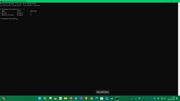
bonne soirée................
voici en capture ecran :
bonne soirée................
-
bidulmaniacs - PC-Infopraticien
- Messages: 2788
- Inscription: 21 Mar 2007 20:20
Re: Comment installer Linux sur Windows avec WSL
le 31 Mai 2026 06:41
Bonjour Bidulmaniacs,
Ok, pour le résultat. Tu as 2 versions de Ubuntu d'installées (Pour information : Ubuntu Preview est une version de test et elle peut être instable, incomplète ou poser des problèmes de lancement). On va la supprimer et ne conserver que la version Ubuntu.
Va dans Paramètres ==> Applications ==> Applications installées
Cherche Ubuntu et Ubuntu Preview et désinstalle-les. Redémarre ton PC
D'autre part, je reviens sur le point ci-dessous que tu avais annoncé: Cela signifie que tes distributions Ubuntu installées sont “fantômes” (présentes dans WSL mais impossibles à lancer).
Ouvre le Terminal Windows (admin) et copie colle les commandes une par une et valide par la touche Entrée de ton clavier.
wsl --unregister Ubuntu
wsl --unregister Ubuntu-Preview
Réinstallation de Ubuntu:
wsl --install -d Ubuntu
Vérifie la version installée:
wsl -l -v
(si tu vois version 1, alors passe cette commande)
wsl --set-version Ubuntu 2
Vérifie si Ubuntu se lance correctement
wsl
Si Ubuntu se lance correctement, on effectuera les mises à jour des paquets.
Bonne journée
Ok, pour le résultat. Tu as 2 versions de Ubuntu d'installées (Pour information : Ubuntu Preview est une version de test et elle peut être instable, incomplète ou poser des problèmes de lancement). On va la supprimer et ne conserver que la version Ubuntu.
Bidulmaniacs a écrit: j’ai installé Ubuntu depuis le Microsoft Store, ça m’a installé WSL
Va dans Paramètres ==> Applications ==> Applications installées
Cherche Ubuntu et Ubuntu Preview et désinstalle-les. Redémarre ton PC
D'autre part, je reviens sur le point ci-dessous que tu avais annoncé: Cela signifie que tes distributions Ubuntu installées sont “fantômes” (présentes dans WSL mais impossibles à lancer).
Bidulmaniacs a écrit:pour la suite je n'ai pas ubuntu depuis le menu demarrer si je clique sur l'icone ubuntu epinglée sur la tuile geante de demarer cela dit ceci si je tape wsl: command not found si je tape mon pseudo et mon mot de passe c'est pareil
Ouvre le Terminal Windows (admin) et copie colle les commandes une par une et valide par la touche Entrée de ton clavier.
wsl --unregister Ubuntu
wsl --unregister Ubuntu-Preview
Réinstallation de Ubuntu:
wsl --install -d Ubuntu
Vérifie la version installée:
wsl -l -v
(si tu vois version 1, alors passe cette commande)
wsl --set-version Ubuntu 2
Vérifie si Ubuntu se lance correctement
wsl
Si Ubuntu se lance correctement, on effectuera les mises à jour des paquets.
Bonne journée
-
heracles - PC-Infopraticien
- Messages: 3724
- Inscription: 02 Juin 2014 19:18
- Localisation: Normandie
Re: Comment installer Linux sur Windows avec WSL
le 31 Mai 2026 18:32
Bonjour heracles
j'ai effectuer tes instructions je suis bloquer ici :
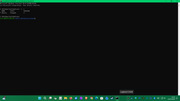
pour info j'ai une notification dans la cloche à droite de la barre des taches tout les jours quelques minutes après avoir démarrer mon pc
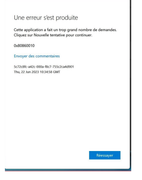
en attente de tes instructions bonne journée....
j'ai effectuer tes instructions je suis bloquer ici :
pour info j'ai une notification dans la cloche à droite de la barre des taches tout les jours quelques minutes après avoir démarrer mon pc
en attente de tes instructions bonne journée....
-
bidulmaniacs - PC-Infopraticien
- Messages: 2788
- Inscription: 21 Mar 2007 20:20
Re: Comment installer Linux sur Windows avec WSL
le 31 Mai 2026 20:23
Bonsoir Bidulmaniacs,
Bonne nouvelle, tu n'es pas bloqué, tu es juste dans l'interface de wsl et tu n'as pas encore lancé Ubuntu.
Pour lancer Ubuntu, lance la commande wsl -d Ubuntu dans le Terminal Windows (admin)
Si c’est la première fois, Windows va initialiser Ubuntu et te demander tes identifiants (nom utilisateur et mot de passe)
Après, mets jour et installer les paquets
sudo apt update
sudo apt upgrade -y
Installer les outils de base (recommandé)
sudo apt install -y build-essential curl wget git ca-certificates
Nettoyage (optionnel)
sudo apt autoremove -y
sudo apt autoclean
Pour ton image d'erreur, c'est lié à postimages.
C’est une erreur Windows liée aux notifications / services Microsoft, souvent déclenchée juste après le démarrage. On s'en occupe après.
Par contre, j'ai constaté une erreur lors du lancement de Windows Update lors de l'installation de Ubuntu via wsl. Effectue ceci après
Ensuite, installer le logiciel wushowhide-diagcab et de masquer la mise à jour indésirable.
Bonne soirée
bidulmaniacs a écrit:Bonjour heracles
j'ai effectuer tes instructions je suis bloquer ici :
Bonne nouvelle, tu n'es pas bloqué, tu es juste dans l'interface de wsl et tu n'as pas encore lancé Ubuntu.
Pour lancer Ubuntu, lance la commande wsl -d Ubuntu dans le Terminal Windows (admin)
Si c’est la première fois, Windows va initialiser Ubuntu et te demander tes identifiants (nom utilisateur et mot de passe)
Après, mets jour et installer les paquets
sudo apt update
sudo apt upgrade -y
Installer les outils de base (recommandé)
sudo apt install -y build-essential curl wget git ca-certificates
Nettoyage (optionnel)
sudo apt autoremove -y
sudo apt autoclean
Pour ton image d'erreur, c'est lié à postimages.
C’est une erreur Windows liée aux notifications / services Microsoft, souvent déclenchée juste après le démarrage. On s'en occupe après.
Par contre, j'ai constaté une erreur lors du lancement de Windows Update lors de l'installation de Ubuntu via wsl. Effectue ceci après
Ensuite, installer le logiciel wushowhide-diagcab et de masquer la mise à jour indésirable.
- Lance le logiciel wushowhide-diagcab
- Dans la fenêtre qui apparait, clique sur avancé puis sur suivant
- Laisse le logiciel détecter les mises à jour
- Clique sur Masquer les mises à jour
- Dans la fenêtre Masquer les mises à jour, coche la case correspondant à Windows Subsystem for linux update puis clique sur suivant
- Pour finir, clique sur Fermer.
- Relance Windows Update (ta mise à jour ne sera plus proposée)
Bonne soirée
-
heracles - PC-Infopraticien
- Messages: 3724
- Inscription: 02 Juin 2014 19:18
- Localisation: Normandie
Re: Comment installer Linux sur Windows avec WSL
le 31 Mai 2026 21:05
Re heracles
deux captures ecran suite à tes instructions la premiere etait trop longue à capturer sur invite de commande administrateur donc j'ai fait un fichier texte :
Microsoft Windows [version 10.0.26200.8524]
(c) Microsoft Corporation. Tous droits réservés.
C:\Windows\System32>wsl -d Ubuntu
bidul@BIDULMANIAK:/mnt/c/Windows/System32$ sudo apt update
[sudo: authenticate] Password:
Get:1 http://archive.ubuntu.com/ubuntu resolute InRelease [136 kB]
Get:2 http://security.ubuntu.com/ubuntu resolute-security InRelease [136 kB]
Get:3 http://security.ubuntu.com/ubuntu resolute-security/main amd64 Packages [102 kB]
Get:4 http://security.ubuntu.com/ubuntu resolute-security/main Translation-en [33.3 kB]
Get:5 http://security.ubuntu.com/ubuntu resolute-security/main amd64 Components [23.6 kB]
Get:6 http://security.ubuntu.com/ubuntu resolute-security/main amd64 c-n-f Metadata [968 B]
Get:7 http://security.ubuntu.com/ubuntu resolute-security/universe amd64 Packages [74.5 kB]
Get:8 http://archive.ubuntu.com/ubuntu resolute-updates InRelease [136 kB]
Get:9 http://security.ubuntu.com/ubuntu resolute-security/universe Translation-en [21.7 kB]
Get:10 http://security.ubuntu.com/ubuntu resolute-security/universe amd64 Components [39.8 kB]
Get:11 http://security.ubuntu.com/ubuntu resolute-security/universe amd64 c-n-f Metadata [628 B]
Get:12 http://security.ubuntu.com/ubuntu resolute-security/restricted amd64 Packages [174 kB]
Get:13 http://security.ubuntu.com/ubuntu resolute-security/restricted Translation-en [29.3 kB]
Get:14 http://security.ubuntu.com/ubuntu resolute-security/multiverse amd64 Components [212 B]
Get:15 http://security.ubuntu.com/ubuntu resolute-security/multiverse amd64 c-n-f Metadata [120 B]
Get:16 http://archive.ubuntu.com/ubuntu resolute-backports InRelease [136 kB]
Get:17 http://archive.ubuntu.com/ubuntu resolute/main amd64 Packages [1480 kB]
Get:18 http://archive.ubuntu.com/ubuntu resolute/main Translation-en [524 kB]
Get:19 http://archive.ubuntu.com/ubuntu resolute/main amd64 Components [395 kB]
Get:20 http://archive.ubuntu.com/ubuntu resolute/main amd64 c-n-f Metadata [32.4 kB]
Get:21 http://archive.ubuntu.com/ubuntu resolute/universe amd64 Packages [16.0 MB]
Get:22 http://archive.ubuntu.com/ubuntu resolute/universe Translation-en [6329 kB]
Get:23 http://archive.ubuntu.com/ubuntu resolute/universe amd64 Components [4556 kB]
Get:24 http://archive.ubuntu.com/ubuntu resolute/universe amd64 c-n-f Metadata [313 kB]
Get:25 http://archive.ubuntu.com/ubuntu resolute/restricted amd64 Packages [152 kB]
Get:26 http://archive.ubuntu.com/ubuntu resolute/restricted Translation-en [25.8 kB]
Get:27 http://archive.ubuntu.com/ubuntu resolute/restricted amd64 Components [556 B]
Get:28 http://archive.ubuntu.com/ubuntu resolute/multiverse amd64 Packages [290 kB]
Get:29 http://archive.ubuntu.com/ubuntu resolute/multiverse Translation-en [127 kB]
Get:30 http://archive.ubuntu.com/ubuntu resolute/multiverse amd64 Components [50.0 kB]
Get:31 http://archive.ubuntu.com/ubuntu resolute/multiverse amd64 c-n-f Metadata [8276 B]
Get:32 http://archive.ubuntu.com/ubuntu resolute-updates/main amd64 Packages [149 kB]
Get:33 http://archive.ubuntu.com/ubuntu resolute-updates/main Translation-en [41.1 kB]
Get:34 http://archive.ubuntu.com/ubuntu resolute-updates/main amd64 Components [29.6 kB]
Get:35 http://archive.ubuntu.com/ubuntu resolute-updates/main amd64 c-n-f Metadata [1132 B]
Get:36 http://archive.ubuntu.com/ubuntu resolute-updates/universe amd64 Packages [78.1 kB]
Get:37 http://archive.ubuntu.com/ubuntu resolute-updates/universe Translation-en [22.8 kB]
Get:38 http://archive.ubuntu.com/ubuntu resolute-updates/universe amd64 Components [46.1 kB]
Get:39 http://archive.ubuntu.com/ubuntu resolute-updates/universe amd64 c-n-f Metadata [624 B]
Get:40 http://archive.ubuntu.com/ubuntu resolute-updates/restricted amd64 Packages [201 kB]
Get:41 http://archive.ubuntu.com/ubuntu resolute-updates/restricted Translation-en [35.1 kB]
Get:42 http://archive.ubuntu.com/ubuntu resolute-updates/multiverse amd64 Packages [3328 B]
Get:43 http://archive.ubuntu.com/ubuntu resolute-updates/multiverse Translation-en [772 B]
Get:44 http://archive.ubuntu.com/ubuntu resolute-updates/multiverse amd64 Components [216 B]
Get:45 http://archive.ubuntu.com/ubuntu resolute-updates/multiverse amd64 c-n-f Metadata [116 B]
Get:46 http://archive.ubuntu.com/ubuntu resolute-backports/main amd64 Components [212 B]
Get:47 http://archive.ubuntu.com/ubuntu resolute-backports/main amd64 c-n-f Metadata [112 B]
Get:48 http://archive.ubuntu.com/ubuntu resolute-backports/universe amd64 Components [216 B]
Get:49 http://archive.ubuntu.com/ubuntu resolute-backports/universe amd64 c-n-f Metadata [116 B]
Get:50 http://archive.ubuntu.com/ubuntu resolute-backports/restricted amd64 Components [216 B]
Get:51 http://archive.ubuntu.com/ubuntu resolute-backports/restricted amd64 c-n-f Metadata [120 B]
Get:52 http://archive.ubuntu.com/ubuntu resolute-backports/multiverse amd64 Components [216 B]
Get:53 http://archive.ubuntu.com/ubuntu resolute-backports/multiverse amd64 c-n-f Metadata [120 B]
Fetched 31.9 MB in 2s (13.7 MB/s)
29 packages can be upgraded. Run 'apt list --upgradable' to see them.
bidul@BIDULMANIAK:/mnt/c/Windows/System32$ sudo apt upgrade -y
Upgrading:
base-files libavahi-common-data liblcms2-2 packagekit vim
bubblewrap libavahi-common3 libnghttp2-14 python3-distupgrade vim-common
curl libcurl3t64-gnutls libpackagekit-glib2-18 rsync vim-runtime
distro-info-data libcurl4t64 libssh2-1t64 sed vim-tiny
gir1.2-packagekitglib-1.0 libgcrypt20 motd-news-config snapd xxd
libavahi-client3 libgnutls30t64 openssh-client ubuntu-release-upgrader-core
Summary:
Upgrading: 29, Installing: 0, Removing: 0, Not Upgrading: 0
24 standard LTS security updates
Download size: 58.6 MB
Space needed: 644 kB / 1024 GB available
Get:1 http://archive.ubuntu.com/ubuntu resolute-updates/main amd64 motd-news-config all 14ubuntu6.1 [5632 B]
Get:2 http://archive.ubuntu.com/ubuntu resolute-updates/main amd64 base-files amd64 14ubuntu6.1 [75.0 kB]
Get:3 http://archive.ubuntu.com/ubuntu resolute-updates/main amd64 sed amd64 4.9-2ubuntu1 [195 kB]
Get:4 http://archive.ubuntu.com/ubuntu resolute-updates/main amd64 libgcrypt20 amd64 1.12.0-2ubuntu0.1 [670 kB]
Get:5 http://archive.ubuntu.com/ubuntu resolute-updates/main amd64 distro-info-data all 0.68ubuntu0.1 [5854 B]
Get:6 http://archive.ubuntu.com/ubuntu resolute-updates/main amd64 libgnutls30t64 amd64 3.8.12-2ubuntu1.1 [1029 kB]
Get:7 http://archive.ubuntu.com/ubuntu resolute-updates/main amd64 vim amd64 2:9.1.2141-1ubuntu4.2 [2067 kB]
Get:8 http://archive.ubuntu.com/ubuntu resolute-updates/main amd64 vim-common all 2:9.1.2141-1ubuntu4.2 [494 kB]
Get:9 http://archive.ubuntu.com/ubuntu resolute-updates/main amd64 vim-tiny amd64 2:9.1.2141-1ubuntu4.2 [867 kB]
Get:10 http://archive.ubuntu.com/ubuntu resolute-updates/main amd64 vim-runtime all 2:9.1.2141-1ubuntu4.2 [7511 kB]
Get:11 http://archive.ubuntu.com/ubuntu resolute-updates/main amd64 xxd amd64 2:9.1.2141-1ubuntu4.2 [67.9 kB]
Get:12 http://archive.ubuntu.com/ubuntu resolute-updates/main amd64 libnghttp2-14 amd64 1.68.0-2ubuntu0.1 [70.9 kB]
Get:13 http://archive.ubuntu.com/ubuntu resolute-updates/main amd64 openssh-client amd64 1:10.2p1-2ubuntu3.2 [934 kB]
Get:14 http://archive.ubuntu.com/ubuntu resolute/main amd64 ubuntu-release-upgrader-core all 1:26.04.18 [24.9 kB]
Get:15 http://archive.ubuntu.com/ubuntu resolute/main amd64 python3-distupgrade all 1:26.04.18 [101 kB]
Get:16 http://archive.ubuntu.com/ubuntu resolute-updates/main amd64 rsync amd64 3.4.1+ds1-7ubuntu0.2 [448 kB]
Get:17 http://archive.ubuntu.com/ubuntu resolute-updates/main amd64 bubblewrap amd64 0.11.1-1ubuntu0.1 [50.8 kB]
Get:18 http://archive.ubuntu.com/ubuntu resolute-updates/main amd64 libssh2-1t64 amd64 1.11.1-1ubuntu0.26.04.1 [137 kB]
Get:19 http://archive.ubuntu.com/ubuntu resolute-updates/main amd64 curl amd64 8.18.0-1ubuntu2.1 [272 kB]
Get:20 http://archive.ubuntu.com/ubuntu resolute-updates/main amd64 libcurl4t64 amd64 8.18.0-1ubuntu2.1 [425 kB]
Get:21 http://archive.ubuntu.com/ubuntu resolute-updates/main amd64 libpackagekit-glib2-18 amd64 1.3.4-3ubuntu1 [120 kB]
Get:22 http://archive.ubuntu.com/ubuntu resolute-updates/main amd64 gir1.2-packagekitglib-1.0 amd64 1.3.4-3ubuntu1 [25.6 kB]
Get:23 http://archive.ubuntu.com/ubuntu resolute-updates/main amd64 libavahi-client3 amd64 0.8-18ubuntu1.1 [27.2 kB]
Get:24 http://archive.ubuntu.com/ubuntu resolute-updates/main amd64 libavahi-common3 amd64 0.8-18ubuntu1.1 [23.6 kB]
Get:25 http://archive.ubuntu.com/ubuntu resolute-updates/main amd64 libavahi-common-data amd64 0.8-18ubuntu1.1 [27.2 kB]
Get:26 http://archive.ubuntu.com/ubuntu resolute-updates/main amd64 libcurl3t64-gnutls amd64 8.18.0-1ubuntu2.1 [416 kB]
Get:27 http://archive.ubuntu.com/ubuntu resolute-updates/main amd64 liblcms2-2 amd64 2.17-1ubuntu0.2 [169 kB]
Get:28 http://archive.ubuntu.com/ubuntu resolute-updates/main amd64 snapd amd64 2.75.2+ubuntu26.04.2 [41.8 MB]
Get:29 http://archive.ubuntu.com/ubuntu resolute-updates/main amd64 packagekit amd64 1.3.4-3ubuntu1 [505 kB]
Fetched 58.6 MB in 1s (69.9 MB/s)
(Reading database ... 35923 files and directories currently installed.)
Preparing to unpack .../motd-news-config_14ubuntu6.1_all.deb ...
Unpacking motd-news-config (14ubuntu6.1) over (14ubuntu6) ...
Preparing to unpack .../base-files_14ubuntu6.1_amd64.deb ...
Unpacking base-files (14ubuntu6.1) over (14ubuntu6) ...
Setting up base-files (14ubuntu6.1) ...
motd-news.service is a disabled or a static unit not running, not starting it.
(Reading database ... 35923 files and directories currently installed.)
Preparing to unpack .../sed_4.9-2ubuntu1_amd64.deb ...
Unpacking sed (4.9-2ubuntu1) over (4.9-2build3) ...
Setting up sed (4.9-2ubuntu1) ...
(Reading database ... 35923 files and directories currently installed.)
Preparing to unpack .../libgcrypt20_1.12.0-2ubuntu0.1_amd64.deb ...
Unpacking libgcrypt20:amd64 (1.12.0-2ubuntu0.1) over (1.12.0-2) ...
Setting up libgcrypt20:amd64 (1.12.0-2ubuntu0.1) ...
(Reading database ... 35923 files and directories currently installed.)
Preparing to unpack .../00-distro-info-data_0.68ubuntu0.1_all.deb ...
Unpacking distro-info-data (0.68ubuntu0.1) over (0.68build1) ...
Preparing to unpack .../01-libgnutls30t64_3.8.12-2ubuntu1.1_amd64.deb ...
Unpacking libgnutls30t64:amd64 (3.8.12-2ubuntu1.1) over (3.8.12-2ubuntu1) ...
Preparing to unpack .../02-vim_2%3a9.1.2141-1ubuntu4.2_amd64.deb ...
Unpacking vim (2:9.1.2141-1ubuntu4.2) over (2:9.1.2141-1ubuntu4) ...
Preparing to unpack .../03-vim-common_2%3a9.1.2141-1ubuntu4.2_all.deb ...
Unpacking vim-common (2:9.1.2141-1ubuntu4.2) over (2:9.1.2141-1ubuntu4) ...
Preparing to unpack .../04-vim-tiny_2%3a9.1.2141-1ubuntu4.2_amd64.deb ...
Unpacking vim-tiny (2:9.1.2141-1ubuntu4.2) over (2:9.1.2141-1ubuntu4) ...
Preparing to unpack .../05-vim-runtime_2%3a9.1.2141-1ubuntu4.2_all.deb ...
Unpacking vim-runtime (2:9.1.2141-1ubuntu4.2) over (2:9.1.2141-1ubuntu4) ...
Preparing to unpack .../06-xxd_2%3a9.1.2141-1ubuntu4.2_amd64.deb ...
Unpacking xxd (2:9.1.2141-1ubuntu4.2) over (2:9.1.2141-1ubuntu4) ...
Preparing to unpack .../07-libnghttp2-14_1.68.0-2ubuntu0.1_amd64.deb ...
Unpacking libnghttp2-14:amd64 (1.68.0-2ubuntu0.1) over (1.68.0-2) ...
Preparing to unpack .../08-openssh-client_1%3a10.2p1-2ubuntu3.2_amd64.deb ...
Unpacking openssh-client (1:10.2p1-2ubuntu3.2) over (1:10.2p1-2ubuntu3) ...
Preparing to unpack .../09-ubuntu-release-upgrader-core_1%3a26.04.18_all.deb ...
Unpacking ubuntu-release-upgrader-core (1:26.04.18) over (1:26.04.16) ...
Preparing to unpack .../10-python3-distupgrade_1%3a26.04.18_all.deb ...
Unpacking python3-distupgrade (1:26.04.18) over (1:26.04.16) ...
Preparing to unpack .../11-rsync_3.4.1+ds1-7ubuntu0.2_amd64.deb ...
Unpacking rsync (3.4.1+ds1-7ubuntu0.2) over (3.4.1+ds1-7) ...
Preparing to unpack .../12-bubblewrap_0.11.1-1ubuntu0.1_amd64.deb ...
Unpacking bubblewrap (0.11.1-1ubuntu0.1) over (0.11.1-1) ...
Preparing to unpack .../13-libssh2-1t64_1.11.1-1ubuntu0.26.04.1_amd64.deb ...
Unpacking libssh2-1t64:amd64 (1.11.1-1ubuntu0.26.04.1) over (1.11.1-1build2) ...
Preparing to unpack .../14-curl_8.18.0-1ubuntu2.1_amd64.deb ...
Unpacking curl (8.18.0-1ubuntu2.1) over (8.18.0-1ubuntu2) ...
Preparing to unpack .../15-libcurl4t64_8.18.0-1ubuntu2.1_amd64.deb ...
Unpacking libcurl4t64:amd64 (8.18.0-1ubuntu2.1) over (8.18.0-1ubuntu2) ...
Preparing to unpack .../16-libpackagekit-glib2-18_1.3.4-3ubuntu1_amd64.deb ...
Unpacking libpackagekit-glib2-18:amd64 (1.3.4-3ubuntu1) over (1.3.4-3) ...
Preparing to unpack .../17-gir1.2-packagekitglib-1.0_1.3.4-3ubuntu1_amd64.deb ...
Unpacking gir1.2-packagekitglib-1.0 (1.3.4-3ubuntu1) over (1.3.4-3) ...
Preparing to unpack .../18-libavahi-client3_0.8-18ubuntu1.1_amd64.deb ...
Unpacking libavahi-client3:amd64 (0.8-18ubuntu1.1) over (0.8-18ubuntu1) ...
Preparing to unpack .../19-libavahi-common3_0.8-18ubuntu1.1_amd64.deb ...
Unpacking libavahi-common3:amd64 (0.8-18ubuntu1.1) over (0.8-18ubuntu1) ...
Preparing to unpack .../20-libavahi-common-data_0.8-18ubuntu1.1_amd64.deb ...
Unpacking libavahi-common-data:amd64 (0.8-18ubuntu1.1) over (0.8-18ubuntu1) ...
Preparing to unpack .../21-libcurl3t64-gnutls_8.18.0-1ubuntu2.1_amd64.deb ...
Unpacking libcurl3t64-gnutls:amd64 (8.18.0-1ubuntu2.1) over (8.18.0-1ubuntu2) ...
Preparing to unpack .../22-liblcms2-2_2.17-1ubuntu0.2_amd64.deb ...
Unpacking liblcms2-2:amd64 (2.17-1ubuntu0.2) over (2.17-1) ...
Preparing to unpack .../23-snapd_2.75.2+ubuntu26.04.2_amd64.deb ...
Unpacking snapd (2.75.2+ubuntu26.04.2) over (2.74.1+ubuntu26.04.4) ...
Preparing to unpack .../24-packagekit_1.3.4-3ubuntu1_amd64.deb ...
Unpacking packagekit (1.3.4-3ubuntu1) over (1.3.4-3) ...
Setting up libgnutls30t64:amd64 (3.8.12-2ubuntu1.1) ...
Setting up bubblewrap (0.11.1-1ubuntu0.1) ...
Setting up motd-news-config (14ubuntu6.1) ...
Setting up liblcms2-2:amd64 (2.17-1ubuntu0.2) ...
Setting up distro-info-data (0.68ubuntu0.1) ...
Setting up openssh-client (1:10.2p1-2ubuntu3.2) ...
Setting up libnghttp2-14:amd64 (1.68.0-2ubuntu0.1) ...
Setting up libpackagekit-glib2-18:amd64 (1.3.4-3ubuntu1) ...
Setting up python3-distupgrade (1:26.04.18) ...
Setting up xxd (2:9.1.2141-1ubuntu4.2) ...
Setting up gir1.2-packagekitglib-1.0 (1.3.4-3ubuntu1) ...
Setting up vim-common (2:9.1.2141-1ubuntu4.2) ...
Setting up libavahi-common-data:amd64 (0.8-18ubuntu1.1) ...
Setting up ubuntu-release-upgrader-core (1:26.04.18) ...
Setting up packagekit (1.3.4-3ubuntu1) ...
Setting up libssh2-1t64:amd64 (1.11.1-1ubuntu0.26.04.1) ...
Setting up vim-runtime (2:9.1.2141-1ubuntu4.2) ...
Setting up rsync (3.4.1+ds1-7ubuntu0.2) ...
rsync.service is a disabled or a static unit not running, not starting it.
Setting up snapd (2.75.2+ubuntu26.04.2) ...
Installing new version of config file /etc/apparmor.d/usr.lib.snapd.snap-confine.real ...
snapd.failure.service is a disabled or a static unit not running, not starting it.
snapd.gpio-chardev-setup.target is a disabled or a static unit not running, not starting it.
snapd.snap-repair.service is a disabled or a static unit not running, not starting it.
Setting up vim (2:9.1.2141-1ubuntu4.2) ...
Setting up libcurl4t64:amd64 (8.18.0-1ubuntu2.1) ...
Setting up libavahi-common3:amd64 (0.8-18ubuntu1.1) ...
Setting up libcurl3t64-gnutls:amd64 (8.18.0-1ubuntu2.1) ...
Setting up vim-tiny (2:9.1.2141-1ubuntu4.2) ...
Setting up curl (8.18.0-1ubuntu2.1) ...
Setting up libavahi-client3:amd64 (0.8-18ubuntu1.1) ...
Processing triggers for libc-bin (2.43-2ubuntu2) ...
Processing triggers for man-db (2.13.1-1build1) ...
Processing triggers for dbus (1.16.2-2ubuntu4) ...
Processing triggers for install-info (7.2-5ubuntu2) ...
Processing triggers for hicolor-icon-theme (0.18-2build1) ...
bidul@BIDULMANIAK:/mnt/c/Windows/System32$ sudo apt install -y build-essential curl wget git ca-certificates
curl is already the newest version (8.18.0-1ubuntu2.1).
curl set to manually installed.
wget is already the newest version (1.25.0-2ubuntu4).
wget set to manually installed.
git is already the newest version (1:2.53.0-1ubuntu1).
git set to manually installed.
ca-certificates is already the newest version (20260223).
ca-certificates set to manually installed.
Installing:
build-essential
Installing dependencies:
bzip2 g++-15-x86-64-linux-gnu libalgorithm-merge-perl libgomp1 libubsan1
cpp g++-x86-64-linux-gnu libasan8 libhwasan0 linux-libc-dev
cpp-15 gcc libc-dev-bin libisl23 lto-disabled-list
cpp-15-x86-64-linux-gnu gcc-15 libc6-dev libitm1 make
cpp-x86-64-linux-gnu gcc-15-base libcc1-0 liblsan0 manpages-dev
dpkg-dev gcc-15-x86-64-linux-gnu libdpkg-perl libmpc3 rpcsvc-proto
fakeroot gcc-x86-64-linux-gnu libfakeroot libquadmath0
g++ libalgorithm-diff-perl libfile-fcntllock-perl libstdc++-15-dev
g++-15 libalgorithm-diff-xs-perl libgcc-15-dev libtsan2
Suggested packages:
bzip2-doc debian-keyring gcc-15-doc libtool gcc-doc glibc-doc
cpp-doc debian-tag2upload-keyring gcc-multilib flex gcc-15-multilib bzr
gcc-15-locales g++-multilib autoconf bison gdb-x86-64-linux-gnu libstdc++-15-doc
cpp-15-doc g++-15-multilib automake gdb libc-devtools make-doc
Summary:
Upgrading: 0, Installing: 43, Removing: 0, Not Upgrading: 0
Download size: 78.7 MB
Space needed: 273 MB / 1024 GB available
Get:1 http://archive.ubuntu.com/ubuntu resolute/main amd64 libc-dev-bin amd64 2.43-2ubuntu2 [23.3 kB]
Get:2 http://archive.ubuntu.com/ubuntu resolute-updates/main amd64 linux-libc-dev amd64 7.0.0-22.22 [1548 kB]
Get:3 http://archive.ubuntu.com/ubuntu resolute/main amd64 rpcsvc-proto amd64 1.4.3-1build1 [68.3 kB]
Get:4 http://archive.ubuntu.com/ubuntu resolute/main amd64 libc6-dev amd64 2.43-2ubuntu2 [2295 kB]
Get:5 http://archive.ubuntu.com/ubuntu resolute/main amd64 gcc-15-base amd64 15.2.0-16ubuntu1 [39.0 kB]
Get:6 http://archive.ubuntu.com/ubuntu resolute/main amd64 libisl23 amd64 0.27-1build1 [691 kB]
Get:7 http://archive.ubuntu.com/ubuntu resolute/main amd64 libmpc3 amd64 1.3.1-3 [54.6 kB]
Get:8 http://archive.ubuntu.com/ubuntu resolute/main amd64 cpp-15-x86-64-linux-gnu amd64 15.2.0-16ubuntu1 [12.9 MB]
Get:9 http://archive.ubuntu.com/ubuntu resolute/main amd64 cpp-15 amd64 15.2.0-16ubuntu1 [1030 B]
Get:10 http://archive.ubuntu.com/ubuntu resolute/main amd64 cpp-x86-64-linux-gnu amd64 4:15.2.0-5ubuntu1 [5840 B]
Get:11 http://archive.ubuntu.com/ubuntu resolute/main amd64 cpp amd64 4:15.2.0-5ubuntu1 [22.4 kB]
Get:12 http://archive.ubuntu.com/ubuntu resolute/main amd64 libcc1-0 amd64 16-20260322-1ubuntu1 [51.2 kB]
Get:13 http://archive.ubuntu.com/ubuntu resolute/main amd64 libgomp1 amd64 16-20260322-1ubuntu1 [162 kB]
Get:14 http://archive.ubuntu.com/ubuntu resolute/main amd64 libitm1 amd64 16-20260322-1ubuntu1 [30.0 kB]
Get:15 http://archive.ubuntu.com/ubuntu resolute/main amd64 libasan8 amd64 16-20260322-1ubuntu1 [3184 kB]
Get:16 http://archive.ubuntu.com/ubuntu resolute/main amd64 liblsan0 amd64 16-20260322-1ubuntu1 [1394 kB]
Get:17 http://archive.ubuntu.com/ubuntu resolute/main amd64 libtsan2 amd64 16-20260322-1ubuntu1 [2849 kB]
Get:18 http://archive.ubuntu.com/ubuntu resolute/main amd64 libubsan1 amd64 16-20260322-1ubuntu1 [1240 kB]
Get:19 http://archive.ubuntu.com/ubuntu resolute/main amd64 libhwasan0 amd64 16-20260322-1ubuntu1 [1731 kB]
Get:20 http://archive.ubuntu.com/ubuntu resolute/main amd64 libquadmath0 amd64 16-20260322-1ubuntu1 [155 kB]
Get:21 http://archive.ubuntu.com/ubuntu resolute/main amd64 libgcc-15-dev amd64 15.2.0-16ubuntu1 [2866 kB]
Get:22 http://archive.ubuntu.com/ubuntu resolute/main amd64 gcc-15-x86-64-linux-gnu amd64 15.2.0-16ubuntu1 [25.4 MB]
Get:23 http://archive.ubuntu.com/ubuntu resolute/main amd64 gcc-15 amd64 15.2.0-16ubuntu1 [539 kB]
Get:24 http://archive.ubuntu.com/ubuntu resolute/main amd64 gcc-x86-64-linux-gnu amd64 4:15.2.0-5ubuntu1 [1208 B]
Get:25 http://archive.ubuntu.com/ubuntu resolute/main amd64 gcc amd64 4:15.2.0-5ubuntu1 [5010 B]
Get:26 http://archive.ubuntu.com/ubuntu resolute/main amd64 libstdc++-15-dev amd64 15.2.0-16ubuntu1 [2920 kB]
Get:27 http://archive.ubuntu.com/ubuntu resolute/main amd64 g++-15-x86-64-linux-gnu amd64 15.2.0-16ubuntu1 [14.4 MB]
Get:28 http://archive.ubuntu.com/ubuntu resolute/main amd64 g++-15 amd64 15.2.0-16ubuntu1 [26.7 kB]
Get:29 http://archive.ubuntu.com/ubuntu resolute/main amd64 g++-x86-64-linux-gnu amd64 4:15.2.0-5ubuntu1 [968 B]
Get:30 http://archive.ubuntu.com/ubuntu resolute/main amd64 g++ amd64 4:15.2.0-5ubuntu1 [1100 B]
Get:31 http://archive.ubuntu.com/ubuntu resolute/main amd64 make amd64 4.4.1-3 [197 kB]
Get:32 http://archive.ubuntu.com/ubuntu resolute/main amd64 libdpkg-perl all 1.23.7ubuntu1 [289 kB]
Get:33 http://archive.ubuntu.com/ubuntu resolute/main amd64 bzip2 amd64 1.0.8-6build2 [34.3 kB]
Get:34 http://archive.ubuntu.com/ubuntu resolute/main amd64 lto-disabled-list all 79 [14.2 kB]
Get:35 http://archive.ubuntu.com/ubuntu resolute/main amd64 dpkg-dev all 1.23.7ubuntu1 [1062 kB]
Get:36 http://archive.ubuntu.com/ubuntu resolute/main amd64 build-essential amd64 12.12ubuntu2 [5256 B]
Get:37 http://archive.ubuntu.com/ubuntu resolute/main amd64 libfakeroot amd64 1.37.2-1 [34.0 kB]
Get:38 http://archive.ubuntu.com/ubuntu resolute/main amd64 fakeroot amd64 1.37.2-1 [68.3 kB]
Get:39 http://archive.ubuntu.com/ubuntu resolute/main amd64 libalgorithm-diff-perl all 1.201-1 [41.8 kB]
Get:40 http://archive.ubuntu.com/ubuntu resolute/main amd64 libalgorithm-diff-xs-perl amd64 0.04-9 [11.5 kB]
Get:41 http://archive.ubuntu.com/ubuntu resolute/main amd64 libalgorithm-merge-perl all 0.08-5 [11.4 kB]
Get:42 http://archive.ubuntu.com/ubuntu resolute/main amd64 libfile-fcntllock-perl amd64 0.22-4ubuntu6 [32.8 kB]
Get:43 http://archive.ubuntu.com/ubuntu resolute/main amd64 manpages-dev all 6.17-1 [2183 kB]
Fetched 78.7 MB in 1s (61.3 MB/s)
Extracting templates from packages: 100%
Selecting previously unselected package libc-dev-bin.
(Reading database ... 35925 files and directories currently installed.)
Preparing to unpack .../00-libc-dev-bin_2.43-2ubuntu2_amd64.deb ...
Unpacking libc-dev-bin (2.43-2ubuntu2) ...
Selecting previously unselected package linux-libc-dev:amd64.
Preparing to unpack .../01-linux-libc-dev_7.0.0-22.22_amd64.deb ...
Unpacking linux-libc-dev:amd64 (7.0.0-22.22) ...
Selecting previously unselected package rpcsvc-proto.
Preparing to unpack .../02-rpcsvc-proto_1.4.3-1build1_amd64.deb ...
Unpacking rpcsvc-proto (1.4.3-1build1) ...
Selecting previously unselected package libc6-dev:amd64.
Preparing to unpack .../03-libc6-dev_2.43-2ubuntu2_amd64.deb ...
Unpacking libc6-dev:amd64 (2.43-2ubuntu2) ...
Selecting previously unselected package gcc-15-base:amd64.
Preparing to unpack .../04-gcc-15-base_15.2.0-16ubuntu1_amd64.deb ...
Unpacking gcc-15-base:amd64 (15.2.0-16ubuntu1) ...
Selecting previously unselected package libisl23:amd64.
Preparing to unpack .../05-libisl23_0.27-1build1_amd64.deb ...
Unpacking libisl23:amd64 (0.27-1build1) ...
Selecting previously unselected package libmpc3:amd64.
Preparing to unpack .../06-libmpc3_1.3.1-3_amd64.deb ...
Unpacking libmpc3:amd64 (1.3.1-3) ...
Selecting previously unselected package cpp-15-x86-64-linux-gnu.
Preparing to unpack .../07-cpp-15-x86-64-linux-gnu_15.2.0-16ubuntu1_amd64.deb ...
Unpacking cpp-15-x86-64-linux-gnu (15.2.0-16ubuntu1) ...
Selecting previously unselected package cpp-15.
Preparing to unpack .../08-cpp-15_15.2.0-16ubuntu1_amd64.deb ...
Unpacking cpp-15 (15.2.0-16ubuntu1) ...
Selecting previously unselected package cpp-x86-64-linux-gnu.
Preparing to unpack .../09-cpp-x86-64-linux-gnu_4%3a15.2.0-5ubuntu1_amd64.deb ...
Unpacking cpp-x86-64-linux-gnu (4:15.2.0-5ubuntu1) ...
Selecting previously unselected package cpp.
Preparing to unpack .../10-cpp_4%3a15.2.0-5ubuntu1_amd64.deb ...
Unpacking cpp (4:15.2.0-5ubuntu1) ...
Selecting previously unselected package libcc1-0:amd64.
Preparing to unpack .../11-libcc1-0_16-20260322-1ubuntu1_amd64.deb ...
Unpacking libcc1-0:amd64 (16-20260322-1ubuntu1) ...
Selecting previously unselected package libgomp1:amd64.
Preparing to unpack .../12-libgomp1_16-20260322-1ubuntu1_amd64.deb ...
Unpacking libgomp1:amd64 (16-20260322-1ubuntu1) ...
Selecting previously unselected package libitm1:amd64.
Preparing to unpack .../13-libitm1_16-20260322-1ubuntu1_amd64.deb ...
Unpacking libitm1:amd64 (16-20260322-1ubuntu1) ...
Selecting previously unselected package libasan8:amd64.
Preparing to unpack .../14-libasan8_16-20260322-1ubuntu1_amd64.deb ...
Unpacking libasan8:amd64 (16-20260322-1ubuntu1) ...
Selecting previously unselected package liblsan0:amd64.
Preparing to unpack .../15-liblsan0_16-20260322-1ubuntu1_amd64.deb ...
Unpacking liblsan0:amd64 (16-20260322-1ubuntu1) ...
Selecting previously unselected package libtsan2:amd64.
Preparing to unpack .../16-libtsan2_16-20260322-1ubuntu1_amd64.deb ...
Unpacking libtsan2:amd64 (16-20260322-1ubuntu1) ...
Selecting previously unselected package libubsan1:amd64.
Preparing to unpack .../17-libubsan1_16-20260322-1ubuntu1_amd64.deb ...
Unpacking libubsan1:amd64 (16-20260322-1ubuntu1) ...
Selecting previously unselected package libhwasan0:amd64.
Preparing to unpack .../18-libhwasan0_16-20260322-1ubuntu1_amd64.deb ...
Unpacking libhwasan0:amd64 (16-20260322-1ubuntu1) ...
Selecting previously unselected package libquadmath0:amd64.
Preparing to unpack .../19-libquadmath0_16-20260322-1ubuntu1_amd64.deb ...
Unpacking libquadmath0:amd64 (16-20260322-1ubuntu1) ...
Selecting previously unselected package libgcc-15-dev:amd64.
Preparing to unpack .../20-libgcc-15-dev_15.2.0-16ubuntu1_amd64.deb ...
Unpacking libgcc-15-dev:amd64 (15.2.0-16ubuntu1) ...
Selecting previously unselected package gcc-15-x86-64-linux-gnu.
Preparing to unpack .../21-gcc-15-x86-64-linux-gnu_15.2.0-16ubuntu1_amd64.deb ...
Unpacking gcc-15-x86-64-linux-gnu (15.2.0-16ubuntu1) ...
Selecting previously unselected package gcc-15.
Preparing to unpack .../22-gcc-15_15.2.0-16ubuntu1_amd64.deb ...
Unpacking gcc-15 (15.2.0-16ubuntu1) ...
Selecting previously unselected package gcc-x86-64-linux-gnu.
Preparing to unpack .../23-gcc-x86-64-linux-gnu_4%3a15.2.0-5ubuntu1_amd64.deb ...
Unpacking gcc-x86-64-linux-gnu (4:15.2.0-5ubuntu1) ...
Selecting previously unselected package gcc.
Preparing to unpack .../24-gcc_4%3a15.2.0-5ubuntu1_amd64.deb ...
Unpacking gcc (4:15.2.0-5ubuntu1) ...
Selecting previously unselected package libstdc++-15-dev:amd64.
Preparing to unpack .../25-libstdc++-15-dev_15.2.0-16ubuntu1_amd64.deb ...
Unpacking libstdc++-15-dev:amd64 (15.2.0-16ubuntu1) ...
Selecting previously unselected package g++-15-x86-64-linux-gnu.
Preparing to unpack .../26-g++-15-x86-64-linux-gnu_15.2.0-16ubuntu1_amd64.deb ...
Unpacking g++-15-x86-64-linux-gnu (15.2.0-16ubuntu1) ...
Selecting previously unselected package g++-15.
Preparing to unpack .../27-g++-15_15.2.0-16ubuntu1_amd64.deb ...
Unpacking g++-15 (15.2.0-16ubuntu1) ...
Selecting previously unselected package g++-x86-64-linux-gnu.
Preparing to unpack .../28-g++-x86-64-linux-gnu_4%3a15.2.0-5ubuntu1_amd64.deb ...
Unpacking g++-x86-64-linux-gnu (4:15.2.0-5ubuntu1) ...
Selecting previously unselected package g++.
Preparing to unpack .../29-g++_4%3a15.2.0-5ubuntu1_amd64.deb ...
Unpacking g++ (4:15.2.0-5ubuntu1) ...
Selecting previously unselected package make.
Preparing to unpack .../30-make_4.4.1-3_amd64.deb ...
Unpacking make (4.4.1-3) ...
Selecting previously unselected package libdpkg-perl.
Preparing to unpack .../31-libdpkg-perl_1.23.7ubuntu1_all.deb ...
Unpacking libdpkg-perl (1.23.7ubuntu1) ...
Selecting previously unselected package bzip2.
Preparing to unpack .../32-bzip2_1.0.8-6build2_amd64.deb ...
Unpacking bzip2 (1.0.8-6build2) ...
Selecting previously unselected package lto-disabled-list.
Preparing to unpack .../33-lto-disabled-list_79_all.deb ...
Unpacking lto-disabled-list (79) ...
Selecting previously unselected package dpkg-dev.
Preparing to unpack .../34-dpkg-dev_1.23.7ubuntu1_all.deb ...
Unpacking dpkg-dev (1.23.7ubuntu1) ...
Selecting previously unselected package build-essential.
Preparing to unpack .../35-build-essential_12.12ubuntu2_amd64.deb ...
Unpacking build-essential (12.12ubuntu2) ...
Selecting previously unselected package libfakeroot:amd64.
Preparing to unpack .../36-libfakeroot_1.37.2-1_amd64.deb ...
Unpacking libfakeroot:amd64 (1.37.2-1) ...
Selecting previously unselected package fakeroot.
Preparing to unpack .../37-fakeroot_1.37.2-1_amd64.deb ...
Unpacking fakeroot (1.37.2-1) ...
Selecting previously unselected package libalgorithm-diff-perl.
Preparing to unpack .../38-libalgorithm-diff-perl_1.201-1_all.deb ...
Unpacking libalgorithm-diff-perl (1.201-1) ...
Selecting previously unselected package libalgorithm-diff-xs-perl.
Preparing to unpack .../39-libalgorithm-diff-xs-perl_0.04-9_amd64.deb ...
Unpacking libalgorithm-diff-xs-perl (0.04-9) ...
Selecting previously unselected package libalgorithm-merge-perl.
Preparing to unpack .../40-libalgorithm-merge-perl_0.08-5_all.deb ...
Unpacking libalgorithm-merge-perl (0.08-5) ...
Selecting previously unselected package libfile-fcntllock-perl.
Preparing to unpack .../41-libfile-fcntllock-perl_0.22-4ubuntu6_amd64.deb ...
Unpacking libfile-fcntllock-perl (0.22-4ubuntu6) ...
Selecting previously unselected package manpages-dev.
Preparing to unpack .../42-manpages-dev_6.17-1_all.deb ...
Unpacking manpages-dev (6.17-1) ...
Setting up manpages-dev (6.17-1) ...
Setting up lto-disabled-list (79) ...
Setting up libfile-fcntllock-perl (0.22-4ubuntu6) ...
Setting up libalgorithm-diff-perl (1.201-1) ...
Setting up linux-libc-dev:amd64 (7.0.0-22.22) ...
Setting up libgomp1:amd64 (16-20260322-1ubuntu1) ...
Setting up bzip2 (1.0.8-6build2) ...
Setting up libfakeroot:amd64 (1.37.2-1) ...
Setting up fakeroot (1.37.2-1) ...
update-alternatives: using /usr/bin/fakeroot-sysv to provide /usr/bin/fakeroot (fakeroot) in auto mode
Setting up rpcsvc-proto (1.4.3-1build1) ...
Setting up make (4.4.1-3) ...
Setting up libquadmath0:amd64 (16-20260322-1ubuntu1) ...
Setting up libmpc3:amd64 (1.3.1-3) ...
Setting up libdpkg-perl (1.23.7ubuntu1) ...
Setting up libubsan1:amd64 (16-20260322-1ubuntu1) ...
Setting up libhwasan0:amd64 (16-20260322-1ubuntu1) ...
Setting up libasan8:amd64 (16-20260322-1ubuntu1) ...
Setting up libtsan2:amd64 (16-20260322-1ubuntu1) ...
Setting up libisl23:amd64 (0.27-1build1) ...
Setting up libc-dev-bin (2.43-2ubuntu2) ...
Setting up gcc-15-base:amd64 (15.2.0-16ubuntu1) ...
Setting up libalgorithm-diff-xs-perl (0.04-9) ...
Setting up libcc1-0:amd64 (16-20260322-1ubuntu1) ...
Setting up liblsan0:amd64 (16-20260322-1ubuntu1) ...
Setting up libitm1:amd64 (16-20260322-1ubuntu1) ...
Setting up libalgorithm-merge-perl (0.08-5) ...
Setting up libgcc-15-dev:amd64 (15.2.0-16ubuntu1) ...
Setting up cpp-15-x86-64-linux-gnu (15.2.0-16ubuntu1) ...
Setting up dpkg-dev (1.23.7ubuntu1) ...
Setting up gcc-15-x86-64-linux-gnu (15.2.0-16ubuntu1) ...
Setting up cpp-15 (15.2.0-16ubuntu1) ...
Setting up libc6-dev:amd64 (2.43-2ubuntu2) ...
Setting up cpp-x86-64-linux-gnu (4:15.2.0-5ubuntu1) ...
Setting up gcc-x86-64-linux-gnu (4:15.2.0-5ubuntu1) ...
Setting up gcc-15 (15.2.0-16ubuntu1) ...
Setting up libstdc++-15-dev:amd64 (15.2.0-16ubuntu1) ...
Setting up cpp (4:15.2.0-5ubuntu1) ...
Setting up g++-15-x86-64-linux-gnu (15.2.0-16ubuntu1) ...
Setting up gcc (4:15.2.0-5ubuntu1) ...
Setting up g++-x86-64-linux-gnu (4:15.2.0-5ubuntu1) ...
Setting up g++-15 (15.2.0-16ubuntu1) ...
Setting up g++ (4:15.2.0-5ubuntu1) ...
update-alternatives: using /usr/bin/g++ to provide /usr/bin/c++ (c++) in auto mode
Setting up build-essential (12.12ubuntu2) ...
Processing triggers for man-db (2.13.1-1build1) ...
Processing triggers for libc-bin (2.43-2ubuntu2) ...
bidul@BIDULMANIAK:/mnt/c/Windows/System32$ wsl
Command 'wsl' not found, but can be installed with:
sudo apt install wsl
bidul@BIDULMANIAK:/mnt/c/Windows/System32$ sudo apt install wsl
Installing:
wsl
Installing dependencies:
libxml2-utils libxslt1.1 uuid-runtime xsltproc
Summary:
Upgrading: 0, Installing: 5, Removing: 0, Not Upgrading: 0
Download size: 291 kB
Space needed: 993 kB / 1024 GB available
Continue? [Y/n] y
Get:1 http://archive.ubuntu.com/ubuntu resolute/main amd64 uuid-runtime amd64 2.41.3-3ubuntu2 [47.9 kB]
Get:2 http://archive.ubuntu.com/ubuntu resolute/main amd64 libxml2-utils amd64 2.15.2+dfsg-0.1 [43.0 kB]
Get:3 http://archive.ubuntu.com/ubuntu resolute/main amd64 libxslt1.1 amd64 1.1.45-0.1 [165 kB]
Get:4 http://archive.ubuntu.com/ubuntu resolute/universe amd64 wsl all 0.2.1-6build1 [19.7 kB]
Get:5 http://archive.ubuntu.com/ubuntu resolute/main amd64 xsltproc amd64 1.1.45-0.1 [14.9 kB]
Fetched 291 kB in 0s (1740 kB/s)
Selecting previously unselected package uuid-runtime.
(Reading database ... 42258 files and directories currently installed.)
Preparing to unpack .../uuid-runtime_2.41.3-3ubuntu2_amd64.deb ...
Unpacking uuid-runtime (2.41.3-3ubuntu2) ...
Selecting previously unselected package libxml2-utils.
Preparing to unpack .../libxml2-utils_2.15.2+dfsg-0.1_amd64.deb ...
Unpacking libxml2-utils (2.15.2+dfsg-0.1) ...
Selecting previously unselected package libxslt1.1:amd64.
Preparing to unpack .../libxslt1.1_1.1.45-0.1_amd64.deb ...
Unpacking libxslt1.1:amd64 (1.1.45-0.1) ...
Selecting previously unselected package wsl.
Preparing to unpack .../wsl_0.2.1-6build1_all.deb ...
Unpacking wsl (0.2.1-6build1) ...
Selecting previously unselected package xsltproc.
Preparing to unpack .../xsltproc_1.1.45-0.1_amd64.deb ...
Unpacking xsltproc (1.1.45-0.1) ...
Setting up uuid-runtime (2.41.3-3ubuntu2) ...
Created symlink '/etc/systemd/system/sockets.target.wants/uuidd.socket' → '/usr/lib/systemd/system/uuidd.socket'.
uuidd.service is a disabled or a static unit, not starting it.
Setting up libxslt1.1:amd64 (1.1.45-0.1) ...
Setting up libxml2-utils (2.15.2+dfsg-0.1) ...
Setting up wsl (0.2.1-6build1) ...
Setting up xsltproc (1.1.45-0.1) ...
Processing triggers for libc-bin (2.43-2ubuntu2) ...
Processing triggers for man-db (2.13.1-1build1) ...
bidul@BIDULMANIAK:/mnt/c/Windows/System32$ wsl
WSL
Wsman Shell commandLine, version 0.2.1

USAGE: wsl COMMAND [PARAMS...]

COMMANDS:
identify - WS-Identify
enum - WS-Enumerate
get - WS-Get
put - WS-Put
invoke - WS-Invoke
xclean - Delete all files generated by this tool set
xcred - Create or display credential file
xcert - Get server certificate (saved to <IPADDRESS>.crt)

PARAMS specification is specific to a COMMAND.

Output will be saved to ./response.xml. If you want to run parallel
executions in the same directory, define RTFILEPREFIX in the environment.
Doing so may significantly increase files generated.

Requires: curl, xmllint, GNU core utilities.
Optional: xsltproc for output formatting, gpg for encrypted credential.
Optional: wget as alternate for curl when not available.
bidul@BIDULMANIAK:/mnt/c/Windows/System32$
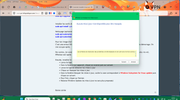
bref en resumer j'ai beau apres tout cela taper en ligne de commande wsl cela ne fonctionne pas
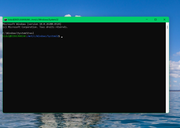
bonne soirée.................
deux captures ecran suite à tes instructions la premiere etait trop longue à capturer sur invite de commande administrateur donc j'ai fait un fichier texte :
Microsoft Windows [version 10.0.26200.8524]
(c) Microsoft Corporation. Tous droits réservés.
C:\Windows\System32>wsl -d Ubuntu
bidul@BIDULMANIAK:/mnt/c/Windows/System32$ sudo apt update
[sudo: authenticate] Password:
Get:1 http://archive.ubuntu.com/ubuntu resolute InRelease [136 kB]
Get:2 http://security.ubuntu.com/ubuntu resolute-security InRelease [136 kB]
Get:3 http://security.ubuntu.com/ubuntu resolute-security/main amd64 Packages [102 kB]
Get:4 http://security.ubuntu.com/ubuntu resolute-security/main Translation-en [33.3 kB]
Get:5 http://security.ubuntu.com/ubuntu resolute-security/main amd64 Components [23.6 kB]
Get:6 http://security.ubuntu.com/ubuntu resolute-security/main amd64 c-n-f Metadata [968 B]
Get:7 http://security.ubuntu.com/ubuntu resolute-security/universe amd64 Packages [74.5 kB]
Get:8 http://archive.ubuntu.com/ubuntu resolute-updates InRelease [136 kB]
Get:9 http://security.ubuntu.com/ubuntu resolute-security/universe Translation-en [21.7 kB]
Get:10 http://security.ubuntu.com/ubuntu resolute-security/universe amd64 Components [39.8 kB]
Get:11 http://security.ubuntu.com/ubuntu resolute-security/universe amd64 c-n-f Metadata [628 B]
Get:12 http://security.ubuntu.com/ubuntu resolute-security/restricted amd64 Packages [174 kB]
Get:13 http://security.ubuntu.com/ubuntu resolute-security/restricted Translation-en [29.3 kB]
Get:14 http://security.ubuntu.com/ubuntu resolute-security/multiverse amd64 Components [212 B]
Get:15 http://security.ubuntu.com/ubuntu resolute-security/multiverse amd64 c-n-f Metadata [120 B]
Get:16 http://archive.ubuntu.com/ubuntu resolute-backports InRelease [136 kB]
Get:17 http://archive.ubuntu.com/ubuntu resolute/main amd64 Packages [1480 kB]
Get:18 http://archive.ubuntu.com/ubuntu resolute/main Translation-en [524 kB]
Get:19 http://archive.ubuntu.com/ubuntu resolute/main amd64 Components [395 kB]
Get:20 http://archive.ubuntu.com/ubuntu resolute/main amd64 c-n-f Metadata [32.4 kB]
Get:21 http://archive.ubuntu.com/ubuntu resolute/universe amd64 Packages [16.0 MB]
Get:22 http://archive.ubuntu.com/ubuntu resolute/universe Translation-en [6329 kB]
Get:23 http://archive.ubuntu.com/ubuntu resolute/universe amd64 Components [4556 kB]
Get:24 http://archive.ubuntu.com/ubuntu resolute/universe amd64 c-n-f Metadata [313 kB]
Get:25 http://archive.ubuntu.com/ubuntu resolute/restricted amd64 Packages [152 kB]
Get:26 http://archive.ubuntu.com/ubuntu resolute/restricted Translation-en [25.8 kB]
Get:27 http://archive.ubuntu.com/ubuntu resolute/restricted amd64 Components [556 B]
Get:28 http://archive.ubuntu.com/ubuntu resolute/multiverse amd64 Packages [290 kB]
Get:29 http://archive.ubuntu.com/ubuntu resolute/multiverse Translation-en [127 kB]
Get:30 http://archive.ubuntu.com/ubuntu resolute/multiverse amd64 Components [50.0 kB]
Get:31 http://archive.ubuntu.com/ubuntu resolute/multiverse amd64 c-n-f Metadata [8276 B]
Get:32 http://archive.ubuntu.com/ubuntu resolute-updates/main amd64 Packages [149 kB]
Get:33 http://archive.ubuntu.com/ubuntu resolute-updates/main Translation-en [41.1 kB]
Get:34 http://archive.ubuntu.com/ubuntu resolute-updates/main amd64 Components [29.6 kB]
Get:35 http://archive.ubuntu.com/ubuntu resolute-updates/main amd64 c-n-f Metadata [1132 B]
Get:36 http://archive.ubuntu.com/ubuntu resolute-updates/universe amd64 Packages [78.1 kB]
Get:37 http://archive.ubuntu.com/ubuntu resolute-updates/universe Translation-en [22.8 kB]
Get:38 http://archive.ubuntu.com/ubuntu resolute-updates/universe amd64 Components [46.1 kB]
Get:39 http://archive.ubuntu.com/ubuntu resolute-updates/universe amd64 c-n-f Metadata [624 B]
Get:40 http://archive.ubuntu.com/ubuntu resolute-updates/restricted amd64 Packages [201 kB]
Get:41 http://archive.ubuntu.com/ubuntu resolute-updates/restricted Translation-en [35.1 kB]
Get:42 http://archive.ubuntu.com/ubuntu resolute-updates/multiverse amd64 Packages [3328 B]
Get:43 http://archive.ubuntu.com/ubuntu resolute-updates/multiverse Translation-en [772 B]
Get:44 http://archive.ubuntu.com/ubuntu resolute-updates/multiverse amd64 Components [216 B]
Get:45 http://archive.ubuntu.com/ubuntu resolute-updates/multiverse amd64 c-n-f Metadata [116 B]
Get:46 http://archive.ubuntu.com/ubuntu resolute-backports/main amd64 Components [212 B]
Get:47 http://archive.ubuntu.com/ubuntu resolute-backports/main amd64 c-n-f Metadata [112 B]
Get:48 http://archive.ubuntu.com/ubuntu resolute-backports/universe amd64 Components [216 B]
Get:49 http://archive.ubuntu.com/ubuntu resolute-backports/universe amd64 c-n-f Metadata [116 B]
Get:50 http://archive.ubuntu.com/ubuntu resolute-backports/restricted amd64 Components [216 B]
Get:51 http://archive.ubuntu.com/ubuntu resolute-backports/restricted amd64 c-n-f Metadata [120 B]
Get:52 http://archive.ubuntu.com/ubuntu resolute-backports/multiverse amd64 Components [216 B]
Get:53 http://archive.ubuntu.com/ubuntu resolute-backports/multiverse amd64 c-n-f Metadata [120 B]
Fetched 31.9 MB in 2s (13.7 MB/s)
29 packages can be upgraded. Run 'apt list --upgradable' to see them.
bidul@BIDULMANIAK:/mnt/c/Windows/System32$ sudo apt upgrade -y
Upgrading:
base-files libavahi-common-data liblcms2-2 packagekit vim
bubblewrap libavahi-common3 libnghttp2-14 python3-distupgrade vim-common
curl libcurl3t64-gnutls libpackagekit-glib2-18 rsync vim-runtime
distro-info-data libcurl4t64 libssh2-1t64 sed vim-tiny
gir1.2-packagekitglib-1.0 libgcrypt20 motd-news-config snapd xxd
libavahi-client3 libgnutls30t64 openssh-client ubuntu-release-upgrader-core
Summary:
Upgrading: 29, Installing: 0, Removing: 0, Not Upgrading: 0
24 standard LTS security updates
Download size: 58.6 MB
Space needed: 644 kB / 1024 GB available
Get:1 http://archive.ubuntu.com/ubuntu resolute-updates/main amd64 motd-news-config all 14ubuntu6.1 [5632 B]
Get:2 http://archive.ubuntu.com/ubuntu resolute-updates/main amd64 base-files amd64 14ubuntu6.1 [75.0 kB]
Get:3 http://archive.ubuntu.com/ubuntu resolute-updates/main amd64 sed amd64 4.9-2ubuntu1 [195 kB]
Get:4 http://archive.ubuntu.com/ubuntu resolute-updates/main amd64 libgcrypt20 amd64 1.12.0-2ubuntu0.1 [670 kB]
Get:5 http://archive.ubuntu.com/ubuntu resolute-updates/main amd64 distro-info-data all 0.68ubuntu0.1 [5854 B]
Get:6 http://archive.ubuntu.com/ubuntu resolute-updates/main amd64 libgnutls30t64 amd64 3.8.12-2ubuntu1.1 [1029 kB]
Get:7 http://archive.ubuntu.com/ubuntu resolute-updates/main amd64 vim amd64 2:9.1.2141-1ubuntu4.2 [2067 kB]
Get:8 http://archive.ubuntu.com/ubuntu resolute-updates/main amd64 vim-common all 2:9.1.2141-1ubuntu4.2 [494 kB]
Get:9 http://archive.ubuntu.com/ubuntu resolute-updates/main amd64 vim-tiny amd64 2:9.1.2141-1ubuntu4.2 [867 kB]
Get:10 http://archive.ubuntu.com/ubuntu resolute-updates/main amd64 vim-runtime all 2:9.1.2141-1ubuntu4.2 [7511 kB]
Get:11 http://archive.ubuntu.com/ubuntu resolute-updates/main amd64 xxd amd64 2:9.1.2141-1ubuntu4.2 [67.9 kB]
Get:12 http://archive.ubuntu.com/ubuntu resolute-updates/main amd64 libnghttp2-14 amd64 1.68.0-2ubuntu0.1 [70.9 kB]
Get:13 http://archive.ubuntu.com/ubuntu resolute-updates/main amd64 openssh-client amd64 1:10.2p1-2ubuntu3.2 [934 kB]
Get:14 http://archive.ubuntu.com/ubuntu resolute/main amd64 ubuntu-release-upgrader-core all 1:26.04.18 [24.9 kB]
Get:15 http://archive.ubuntu.com/ubuntu resolute/main amd64 python3-distupgrade all 1:26.04.18 [101 kB]
Get:16 http://archive.ubuntu.com/ubuntu resolute-updates/main amd64 rsync amd64 3.4.1+ds1-7ubuntu0.2 [448 kB]
Get:17 http://archive.ubuntu.com/ubuntu resolute-updates/main amd64 bubblewrap amd64 0.11.1-1ubuntu0.1 [50.8 kB]
Get:18 http://archive.ubuntu.com/ubuntu resolute-updates/main amd64 libssh2-1t64 amd64 1.11.1-1ubuntu0.26.04.1 [137 kB]
Get:19 http://archive.ubuntu.com/ubuntu resolute-updates/main amd64 curl amd64 8.18.0-1ubuntu2.1 [272 kB]
Get:20 http://archive.ubuntu.com/ubuntu resolute-updates/main amd64 libcurl4t64 amd64 8.18.0-1ubuntu2.1 [425 kB]
Get:21 http://archive.ubuntu.com/ubuntu resolute-updates/main amd64 libpackagekit-glib2-18 amd64 1.3.4-3ubuntu1 [120 kB]
Get:22 http://archive.ubuntu.com/ubuntu resolute-updates/main amd64 gir1.2-packagekitglib-1.0 amd64 1.3.4-3ubuntu1 [25.6 kB]
Get:23 http://archive.ubuntu.com/ubuntu resolute-updates/main amd64 libavahi-client3 amd64 0.8-18ubuntu1.1 [27.2 kB]
Get:24 http://archive.ubuntu.com/ubuntu resolute-updates/main amd64 libavahi-common3 amd64 0.8-18ubuntu1.1 [23.6 kB]
Get:25 http://archive.ubuntu.com/ubuntu resolute-updates/main amd64 libavahi-common-data amd64 0.8-18ubuntu1.1 [27.2 kB]
Get:26 http://archive.ubuntu.com/ubuntu resolute-updates/main amd64 libcurl3t64-gnutls amd64 8.18.0-1ubuntu2.1 [416 kB]
Get:27 http://archive.ubuntu.com/ubuntu resolute-updates/main amd64 liblcms2-2 amd64 2.17-1ubuntu0.2 [169 kB]
Get:28 http://archive.ubuntu.com/ubuntu resolute-updates/main amd64 snapd amd64 2.75.2+ubuntu26.04.2 [41.8 MB]
Get:29 http://archive.ubuntu.com/ubuntu resolute-updates/main amd64 packagekit amd64 1.3.4-3ubuntu1 [505 kB]
Fetched 58.6 MB in 1s (69.9 MB/s)
(Reading database ... 35923 files and directories currently installed.)
Preparing to unpack .../motd-news-config_14ubuntu6.1_all.deb ...
Unpacking motd-news-config (14ubuntu6.1) over (14ubuntu6) ...
Preparing to unpack .../base-files_14ubuntu6.1_amd64.deb ...
Unpacking base-files (14ubuntu6.1) over (14ubuntu6) ...
Setting up base-files (14ubuntu6.1) ...
motd-news.service is a disabled or a static unit not running, not starting it.
(Reading database ... 35923 files and directories currently installed.)
Preparing to unpack .../sed_4.9-2ubuntu1_amd64.deb ...
Unpacking sed (4.9-2ubuntu1) over (4.9-2build3) ...
Setting up sed (4.9-2ubuntu1) ...
(Reading database ... 35923 files and directories currently installed.)
Preparing to unpack .../libgcrypt20_1.12.0-2ubuntu0.1_amd64.deb ...
Unpacking libgcrypt20:amd64 (1.12.0-2ubuntu0.1) over (1.12.0-2) ...
Setting up libgcrypt20:amd64 (1.12.0-2ubuntu0.1) ...
(Reading database ... 35923 files and directories currently installed.)
Preparing to unpack .../00-distro-info-data_0.68ubuntu0.1_all.deb ...
Unpacking distro-info-data (0.68ubuntu0.1) over (0.68build1) ...
Preparing to unpack .../01-libgnutls30t64_3.8.12-2ubuntu1.1_amd64.deb ...
Unpacking libgnutls30t64:amd64 (3.8.12-2ubuntu1.1) over (3.8.12-2ubuntu1) ...
Preparing to unpack .../02-vim_2%3a9.1.2141-1ubuntu4.2_amd64.deb ...
Unpacking vim (2:9.1.2141-1ubuntu4.2) over (2:9.1.2141-1ubuntu4) ...
Preparing to unpack .../03-vim-common_2%3a9.1.2141-1ubuntu4.2_all.deb ...
Unpacking vim-common (2:9.1.2141-1ubuntu4.2) over (2:9.1.2141-1ubuntu4) ...
Preparing to unpack .../04-vim-tiny_2%3a9.1.2141-1ubuntu4.2_amd64.deb ...
Unpacking vim-tiny (2:9.1.2141-1ubuntu4.2) over (2:9.1.2141-1ubuntu4) ...
Preparing to unpack .../05-vim-runtime_2%3a9.1.2141-1ubuntu4.2_all.deb ...
Unpacking vim-runtime (2:9.1.2141-1ubuntu4.2) over (2:9.1.2141-1ubuntu4) ...
Preparing to unpack .../06-xxd_2%3a9.1.2141-1ubuntu4.2_amd64.deb ...
Unpacking xxd (2:9.1.2141-1ubuntu4.2) over (2:9.1.2141-1ubuntu4) ...
Preparing to unpack .../07-libnghttp2-14_1.68.0-2ubuntu0.1_amd64.deb ...
Unpacking libnghttp2-14:amd64 (1.68.0-2ubuntu0.1) over (1.68.0-2) ...
Preparing to unpack .../08-openssh-client_1%3a10.2p1-2ubuntu3.2_amd64.deb ...
Unpacking openssh-client (1:10.2p1-2ubuntu3.2) over (1:10.2p1-2ubuntu3) ...
Preparing to unpack .../09-ubuntu-release-upgrader-core_1%3a26.04.18_all.deb ...
Unpacking ubuntu-release-upgrader-core (1:26.04.18) over (1:26.04.16) ...
Preparing to unpack .../10-python3-distupgrade_1%3a26.04.18_all.deb ...
Unpacking python3-distupgrade (1:26.04.18) over (1:26.04.16) ...
Preparing to unpack .../11-rsync_3.4.1+ds1-7ubuntu0.2_amd64.deb ...
Unpacking rsync (3.4.1+ds1-7ubuntu0.2) over (3.4.1+ds1-7) ...
Preparing to unpack .../12-bubblewrap_0.11.1-1ubuntu0.1_amd64.deb ...
Unpacking bubblewrap (0.11.1-1ubuntu0.1) over (0.11.1-1) ...
Preparing to unpack .../13-libssh2-1t64_1.11.1-1ubuntu0.26.04.1_amd64.deb ...
Unpacking libssh2-1t64:amd64 (1.11.1-1ubuntu0.26.04.1) over (1.11.1-1build2) ...
Preparing to unpack .../14-curl_8.18.0-1ubuntu2.1_amd64.deb ...
Unpacking curl (8.18.0-1ubuntu2.1) over (8.18.0-1ubuntu2) ...
Preparing to unpack .../15-libcurl4t64_8.18.0-1ubuntu2.1_amd64.deb ...
Unpacking libcurl4t64:amd64 (8.18.0-1ubuntu2.1) over (8.18.0-1ubuntu2) ...
Preparing to unpack .../16-libpackagekit-glib2-18_1.3.4-3ubuntu1_amd64.deb ...
Unpacking libpackagekit-glib2-18:amd64 (1.3.4-3ubuntu1) over (1.3.4-3) ...
Preparing to unpack .../17-gir1.2-packagekitglib-1.0_1.3.4-3ubuntu1_amd64.deb ...
Unpacking gir1.2-packagekitglib-1.0 (1.3.4-3ubuntu1) over (1.3.4-3) ...
Preparing to unpack .../18-libavahi-client3_0.8-18ubuntu1.1_amd64.deb ...
Unpacking libavahi-client3:amd64 (0.8-18ubuntu1.1) over (0.8-18ubuntu1) ...
Preparing to unpack .../19-libavahi-common3_0.8-18ubuntu1.1_amd64.deb ...
Unpacking libavahi-common3:amd64 (0.8-18ubuntu1.1) over (0.8-18ubuntu1) ...
Preparing to unpack .../20-libavahi-common-data_0.8-18ubuntu1.1_amd64.deb ...
Unpacking libavahi-common-data:amd64 (0.8-18ubuntu1.1) over (0.8-18ubuntu1) ...
Preparing to unpack .../21-libcurl3t64-gnutls_8.18.0-1ubuntu2.1_amd64.deb ...
Unpacking libcurl3t64-gnutls:amd64 (8.18.0-1ubuntu2.1) over (8.18.0-1ubuntu2) ...
Preparing to unpack .../22-liblcms2-2_2.17-1ubuntu0.2_amd64.deb ...
Unpacking liblcms2-2:amd64 (2.17-1ubuntu0.2) over (2.17-1) ...
Preparing to unpack .../23-snapd_2.75.2+ubuntu26.04.2_amd64.deb ...
Unpacking snapd (2.75.2+ubuntu26.04.2) over (2.74.1+ubuntu26.04.4) ...
Preparing to unpack .../24-packagekit_1.3.4-3ubuntu1_amd64.deb ...
Unpacking packagekit (1.3.4-3ubuntu1) over (1.3.4-3) ...
Setting up libgnutls30t64:amd64 (3.8.12-2ubuntu1.1) ...
Setting up bubblewrap (0.11.1-1ubuntu0.1) ...
Setting up motd-news-config (14ubuntu6.1) ...
Setting up liblcms2-2:amd64 (2.17-1ubuntu0.2) ...
Setting up distro-info-data (0.68ubuntu0.1) ...
Setting up openssh-client (1:10.2p1-2ubuntu3.2) ...
Setting up libnghttp2-14:amd64 (1.68.0-2ubuntu0.1) ...
Setting up libpackagekit-glib2-18:amd64 (1.3.4-3ubuntu1) ...
Setting up python3-distupgrade (1:26.04.18) ...
Setting up xxd (2:9.1.2141-1ubuntu4.2) ...
Setting up gir1.2-packagekitglib-1.0 (1.3.4-3ubuntu1) ...
Setting up vim-common (2:9.1.2141-1ubuntu4.2) ...
Setting up libavahi-common-data:amd64 (0.8-18ubuntu1.1) ...
Setting up ubuntu-release-upgrader-core (1:26.04.18) ...
Setting up packagekit (1.3.4-3ubuntu1) ...
Setting up libssh2-1t64:amd64 (1.11.1-1ubuntu0.26.04.1) ...
Setting up vim-runtime (2:9.1.2141-1ubuntu4.2) ...
Setting up rsync (3.4.1+ds1-7ubuntu0.2) ...
rsync.service is a disabled or a static unit not running, not starting it.
Setting up snapd (2.75.2+ubuntu26.04.2) ...
Installing new version of config file /etc/apparmor.d/usr.lib.snapd.snap-confine.real ...
snapd.failure.service is a disabled or a static unit not running, not starting it.
snapd.gpio-chardev-setup.target is a disabled or a static unit not running, not starting it.
snapd.snap-repair.service is a disabled or a static unit not running, not starting it.
Setting up vim (2:9.1.2141-1ubuntu4.2) ...
Setting up libcurl4t64:amd64 (8.18.0-1ubuntu2.1) ...
Setting up libavahi-common3:amd64 (0.8-18ubuntu1.1) ...
Setting up libcurl3t64-gnutls:amd64 (8.18.0-1ubuntu2.1) ...
Setting up vim-tiny (2:9.1.2141-1ubuntu4.2) ...
Setting up curl (8.18.0-1ubuntu2.1) ...
Setting up libavahi-client3:amd64 (0.8-18ubuntu1.1) ...
Processing triggers for libc-bin (2.43-2ubuntu2) ...
Processing triggers for man-db (2.13.1-1build1) ...
Processing triggers for dbus (1.16.2-2ubuntu4) ...
Processing triggers for install-info (7.2-5ubuntu2) ...
Processing triggers for hicolor-icon-theme (0.18-2build1) ...
bidul@BIDULMANIAK:/mnt/c/Windows/System32$ sudo apt install -y build-essential curl wget git ca-certificates
curl is already the newest version (8.18.0-1ubuntu2.1).
curl set to manually installed.
wget is already the newest version (1.25.0-2ubuntu4).
wget set to manually installed.
git is already the newest version (1:2.53.0-1ubuntu1).
git set to manually installed.
ca-certificates is already the newest version (20260223).
ca-certificates set to manually installed.
Installing:
build-essential
Installing dependencies:
bzip2 g++-15-x86-64-linux-gnu libalgorithm-merge-perl libgomp1 libubsan1
cpp g++-x86-64-linux-gnu libasan8 libhwasan0 linux-libc-dev
cpp-15 gcc libc-dev-bin libisl23 lto-disabled-list
cpp-15-x86-64-linux-gnu gcc-15 libc6-dev libitm1 make
cpp-x86-64-linux-gnu gcc-15-base libcc1-0 liblsan0 manpages-dev
dpkg-dev gcc-15-x86-64-linux-gnu libdpkg-perl libmpc3 rpcsvc-proto
fakeroot gcc-x86-64-linux-gnu libfakeroot libquadmath0
g++ libalgorithm-diff-perl libfile-fcntllock-perl libstdc++-15-dev
g++-15 libalgorithm-diff-xs-perl libgcc-15-dev libtsan2
Suggested packages:
bzip2-doc debian-keyring gcc-15-doc libtool gcc-doc glibc-doc
cpp-doc debian-tag2upload-keyring gcc-multilib flex gcc-15-multilib bzr
gcc-15-locales g++-multilib autoconf bison gdb-x86-64-linux-gnu libstdc++-15-doc
cpp-15-doc g++-15-multilib automake gdb libc-devtools make-doc
Summary:
Upgrading: 0, Installing: 43, Removing: 0, Not Upgrading: 0
Download size: 78.7 MB
Space needed: 273 MB / 1024 GB available
Get:1 http://archive.ubuntu.com/ubuntu resolute/main amd64 libc-dev-bin amd64 2.43-2ubuntu2 [23.3 kB]
Get:2 http://archive.ubuntu.com/ubuntu resolute-updates/main amd64 linux-libc-dev amd64 7.0.0-22.22 [1548 kB]
Get:3 http://archive.ubuntu.com/ubuntu resolute/main amd64 rpcsvc-proto amd64 1.4.3-1build1 [68.3 kB]
Get:4 http://archive.ubuntu.com/ubuntu resolute/main amd64 libc6-dev amd64 2.43-2ubuntu2 [2295 kB]
Get:5 http://archive.ubuntu.com/ubuntu resolute/main amd64 gcc-15-base amd64 15.2.0-16ubuntu1 [39.0 kB]
Get:6 http://archive.ubuntu.com/ubuntu resolute/main amd64 libisl23 amd64 0.27-1build1 [691 kB]
Get:7 http://archive.ubuntu.com/ubuntu resolute/main amd64 libmpc3 amd64 1.3.1-3 [54.6 kB]
Get:8 http://archive.ubuntu.com/ubuntu resolute/main amd64 cpp-15-x86-64-linux-gnu amd64 15.2.0-16ubuntu1 [12.9 MB]
Get:9 http://archive.ubuntu.com/ubuntu resolute/main amd64 cpp-15 amd64 15.2.0-16ubuntu1 [1030 B]
Get:10 http://archive.ubuntu.com/ubuntu resolute/main amd64 cpp-x86-64-linux-gnu amd64 4:15.2.0-5ubuntu1 [5840 B]
Get:11 http://archive.ubuntu.com/ubuntu resolute/main amd64 cpp amd64 4:15.2.0-5ubuntu1 [22.4 kB]
Get:12 http://archive.ubuntu.com/ubuntu resolute/main amd64 libcc1-0 amd64 16-20260322-1ubuntu1 [51.2 kB]
Get:13 http://archive.ubuntu.com/ubuntu resolute/main amd64 libgomp1 amd64 16-20260322-1ubuntu1 [162 kB]
Get:14 http://archive.ubuntu.com/ubuntu resolute/main amd64 libitm1 amd64 16-20260322-1ubuntu1 [30.0 kB]
Get:15 http://archive.ubuntu.com/ubuntu resolute/main amd64 libasan8 amd64 16-20260322-1ubuntu1 [3184 kB]
Get:16 http://archive.ubuntu.com/ubuntu resolute/main amd64 liblsan0 amd64 16-20260322-1ubuntu1 [1394 kB]
Get:17 http://archive.ubuntu.com/ubuntu resolute/main amd64 libtsan2 amd64 16-20260322-1ubuntu1 [2849 kB]
Get:18 http://archive.ubuntu.com/ubuntu resolute/main amd64 libubsan1 amd64 16-20260322-1ubuntu1 [1240 kB]
Get:19 http://archive.ubuntu.com/ubuntu resolute/main amd64 libhwasan0 amd64 16-20260322-1ubuntu1 [1731 kB]
Get:20 http://archive.ubuntu.com/ubuntu resolute/main amd64 libquadmath0 amd64 16-20260322-1ubuntu1 [155 kB]
Get:21 http://archive.ubuntu.com/ubuntu resolute/main amd64 libgcc-15-dev amd64 15.2.0-16ubuntu1 [2866 kB]
Get:22 http://archive.ubuntu.com/ubuntu resolute/main amd64 gcc-15-x86-64-linux-gnu amd64 15.2.0-16ubuntu1 [25.4 MB]
Get:23 http://archive.ubuntu.com/ubuntu resolute/main amd64 gcc-15 amd64 15.2.0-16ubuntu1 [539 kB]
Get:24 http://archive.ubuntu.com/ubuntu resolute/main amd64 gcc-x86-64-linux-gnu amd64 4:15.2.0-5ubuntu1 [1208 B]
Get:25 http://archive.ubuntu.com/ubuntu resolute/main amd64 gcc amd64 4:15.2.0-5ubuntu1 [5010 B]
Get:26 http://archive.ubuntu.com/ubuntu resolute/main amd64 libstdc++-15-dev amd64 15.2.0-16ubuntu1 [2920 kB]
Get:27 http://archive.ubuntu.com/ubuntu resolute/main amd64 g++-15-x86-64-linux-gnu amd64 15.2.0-16ubuntu1 [14.4 MB]
Get:28 http://archive.ubuntu.com/ubuntu resolute/main amd64 g++-15 amd64 15.2.0-16ubuntu1 [26.7 kB]
Get:29 http://archive.ubuntu.com/ubuntu resolute/main amd64 g++-x86-64-linux-gnu amd64 4:15.2.0-5ubuntu1 [968 B]
Get:30 http://archive.ubuntu.com/ubuntu resolute/main amd64 g++ amd64 4:15.2.0-5ubuntu1 [1100 B]
Get:31 http://archive.ubuntu.com/ubuntu resolute/main amd64 make amd64 4.4.1-3 [197 kB]
Get:32 http://archive.ubuntu.com/ubuntu resolute/main amd64 libdpkg-perl all 1.23.7ubuntu1 [289 kB]
Get:33 http://archive.ubuntu.com/ubuntu resolute/main amd64 bzip2 amd64 1.0.8-6build2 [34.3 kB]
Get:34 http://archive.ubuntu.com/ubuntu resolute/main amd64 lto-disabled-list all 79 [14.2 kB]
Get:35 http://archive.ubuntu.com/ubuntu resolute/main amd64 dpkg-dev all 1.23.7ubuntu1 [1062 kB]
Get:36 http://archive.ubuntu.com/ubuntu resolute/main amd64 build-essential amd64 12.12ubuntu2 [5256 B]
Get:37 http://archive.ubuntu.com/ubuntu resolute/main amd64 libfakeroot amd64 1.37.2-1 [34.0 kB]
Get:38 http://archive.ubuntu.com/ubuntu resolute/main amd64 fakeroot amd64 1.37.2-1 [68.3 kB]
Get:39 http://archive.ubuntu.com/ubuntu resolute/main amd64 libalgorithm-diff-perl all 1.201-1 [41.8 kB]
Get:40 http://archive.ubuntu.com/ubuntu resolute/main amd64 libalgorithm-diff-xs-perl amd64 0.04-9 [11.5 kB]
Get:41 http://archive.ubuntu.com/ubuntu resolute/main amd64 libalgorithm-merge-perl all 0.08-5 [11.4 kB]
Get:42 http://archive.ubuntu.com/ubuntu resolute/main amd64 libfile-fcntllock-perl amd64 0.22-4ubuntu6 [32.8 kB]
Get:43 http://archive.ubuntu.com/ubuntu resolute/main amd64 manpages-dev all 6.17-1 [2183 kB]
Fetched 78.7 MB in 1s (61.3 MB/s)
Extracting templates from packages: 100%
Selecting previously unselected package libc-dev-bin.
(Reading database ... 35925 files and directories currently installed.)
Preparing to unpack .../00-libc-dev-bin_2.43-2ubuntu2_amd64.deb ...
Unpacking libc-dev-bin (2.43-2ubuntu2) ...
Selecting previously unselected package linux-libc-dev:amd64.
Preparing to unpack .../01-linux-libc-dev_7.0.0-22.22_amd64.deb ...
Unpacking linux-libc-dev:amd64 (7.0.0-22.22) ...
Selecting previously unselected package rpcsvc-proto.
Preparing to unpack .../02-rpcsvc-proto_1.4.3-1build1_amd64.deb ...
Unpacking rpcsvc-proto (1.4.3-1build1) ...
Selecting previously unselected package libc6-dev:amd64.
Preparing to unpack .../03-libc6-dev_2.43-2ubuntu2_amd64.deb ...
Unpacking libc6-dev:amd64 (2.43-2ubuntu2) ...
Selecting previously unselected package gcc-15-base:amd64.
Preparing to unpack .../04-gcc-15-base_15.2.0-16ubuntu1_amd64.deb ...
Unpacking gcc-15-base:amd64 (15.2.0-16ubuntu1) ...
Selecting previously unselected package libisl23:amd64.
Preparing to unpack .../05-libisl23_0.27-1build1_amd64.deb ...
Unpacking libisl23:amd64 (0.27-1build1) ...
Selecting previously unselected package libmpc3:amd64.
Preparing to unpack .../06-libmpc3_1.3.1-3_amd64.deb ...
Unpacking libmpc3:amd64 (1.3.1-3) ...
Selecting previously unselected package cpp-15-x86-64-linux-gnu.
Preparing to unpack .../07-cpp-15-x86-64-linux-gnu_15.2.0-16ubuntu1_amd64.deb ...
Unpacking cpp-15-x86-64-linux-gnu (15.2.0-16ubuntu1) ...
Selecting previously unselected package cpp-15.
Preparing to unpack .../08-cpp-15_15.2.0-16ubuntu1_amd64.deb ...
Unpacking cpp-15 (15.2.0-16ubuntu1) ...
Selecting previously unselected package cpp-x86-64-linux-gnu.
Preparing to unpack .../09-cpp-x86-64-linux-gnu_4%3a15.2.0-5ubuntu1_amd64.deb ...
Unpacking cpp-x86-64-linux-gnu (4:15.2.0-5ubuntu1) ...
Selecting previously unselected package cpp.
Preparing to unpack .../10-cpp_4%3a15.2.0-5ubuntu1_amd64.deb ...
Unpacking cpp (4:15.2.0-5ubuntu1) ...
Selecting previously unselected package libcc1-0:amd64.
Preparing to unpack .../11-libcc1-0_16-20260322-1ubuntu1_amd64.deb ...
Unpacking libcc1-0:amd64 (16-20260322-1ubuntu1) ...
Selecting previously unselected package libgomp1:amd64.
Preparing to unpack .../12-libgomp1_16-20260322-1ubuntu1_amd64.deb ...
Unpacking libgomp1:amd64 (16-20260322-1ubuntu1) ...
Selecting previously unselected package libitm1:amd64.
Preparing to unpack .../13-libitm1_16-20260322-1ubuntu1_amd64.deb ...
Unpacking libitm1:amd64 (16-20260322-1ubuntu1) ...
Selecting previously unselected package libasan8:amd64.
Preparing to unpack .../14-libasan8_16-20260322-1ubuntu1_amd64.deb ...
Unpacking libasan8:amd64 (16-20260322-1ubuntu1) ...
Selecting previously unselected package liblsan0:amd64.
Preparing to unpack .../15-liblsan0_16-20260322-1ubuntu1_amd64.deb ...
Unpacking liblsan0:amd64 (16-20260322-1ubuntu1) ...
Selecting previously unselected package libtsan2:amd64.
Preparing to unpack .../16-libtsan2_16-20260322-1ubuntu1_amd64.deb ...
Unpacking libtsan2:amd64 (16-20260322-1ubuntu1) ...
Selecting previously unselected package libubsan1:amd64.
Preparing to unpack .../17-libubsan1_16-20260322-1ubuntu1_amd64.deb ...
Unpacking libubsan1:amd64 (16-20260322-1ubuntu1) ...
Selecting previously unselected package libhwasan0:amd64.
Preparing to unpack .../18-libhwasan0_16-20260322-1ubuntu1_amd64.deb ...
Unpacking libhwasan0:amd64 (16-20260322-1ubuntu1) ...
Selecting previously unselected package libquadmath0:amd64.
Preparing to unpack .../19-libquadmath0_16-20260322-1ubuntu1_amd64.deb ...
Unpacking libquadmath0:amd64 (16-20260322-1ubuntu1) ...
Selecting previously unselected package libgcc-15-dev:amd64.
Preparing to unpack .../20-libgcc-15-dev_15.2.0-16ubuntu1_amd64.deb ...
Unpacking libgcc-15-dev:amd64 (15.2.0-16ubuntu1) ...
Selecting previously unselected package gcc-15-x86-64-linux-gnu.
Preparing to unpack .../21-gcc-15-x86-64-linux-gnu_15.2.0-16ubuntu1_amd64.deb ...
Unpacking gcc-15-x86-64-linux-gnu (15.2.0-16ubuntu1) ...
Selecting previously unselected package gcc-15.
Preparing to unpack .../22-gcc-15_15.2.0-16ubuntu1_amd64.deb ...
Unpacking gcc-15 (15.2.0-16ubuntu1) ...
Selecting previously unselected package gcc-x86-64-linux-gnu.
Preparing to unpack .../23-gcc-x86-64-linux-gnu_4%3a15.2.0-5ubuntu1_amd64.deb ...
Unpacking gcc-x86-64-linux-gnu (4:15.2.0-5ubuntu1) ...
Selecting previously unselected package gcc.
Preparing to unpack .../24-gcc_4%3a15.2.0-5ubuntu1_amd64.deb ...
Unpacking gcc (4:15.2.0-5ubuntu1) ...
Selecting previously unselected package libstdc++-15-dev:amd64.
Preparing to unpack .../25-libstdc++-15-dev_15.2.0-16ubuntu1_amd64.deb ...
Unpacking libstdc++-15-dev:amd64 (15.2.0-16ubuntu1) ...
Selecting previously unselected package g++-15-x86-64-linux-gnu.
Preparing to unpack .../26-g++-15-x86-64-linux-gnu_15.2.0-16ubuntu1_amd64.deb ...
Unpacking g++-15-x86-64-linux-gnu (15.2.0-16ubuntu1) ...
Selecting previously unselected package g++-15.
Preparing to unpack .../27-g++-15_15.2.0-16ubuntu1_amd64.deb ...
Unpacking g++-15 (15.2.0-16ubuntu1) ...
Selecting previously unselected package g++-x86-64-linux-gnu.
Preparing to unpack .../28-g++-x86-64-linux-gnu_4%3a15.2.0-5ubuntu1_amd64.deb ...
Unpacking g++-x86-64-linux-gnu (4:15.2.0-5ubuntu1) ...
Selecting previously unselected package g++.
Preparing to unpack .../29-g++_4%3a15.2.0-5ubuntu1_amd64.deb ...
Unpacking g++ (4:15.2.0-5ubuntu1) ...
Selecting previously unselected package make.
Preparing to unpack .../30-make_4.4.1-3_amd64.deb ...
Unpacking make (4.4.1-3) ...
Selecting previously unselected package libdpkg-perl.
Preparing to unpack .../31-libdpkg-perl_1.23.7ubuntu1_all.deb ...
Unpacking libdpkg-perl (1.23.7ubuntu1) ...
Selecting previously unselected package bzip2.
Preparing to unpack .../32-bzip2_1.0.8-6build2_amd64.deb ...
Unpacking bzip2 (1.0.8-6build2) ...
Selecting previously unselected package lto-disabled-list.
Preparing to unpack .../33-lto-disabled-list_79_all.deb ...
Unpacking lto-disabled-list (79) ...
Selecting previously unselected package dpkg-dev.
Preparing to unpack .../34-dpkg-dev_1.23.7ubuntu1_all.deb ...
Unpacking dpkg-dev (1.23.7ubuntu1) ...
Selecting previously unselected package build-essential.
Preparing to unpack .../35-build-essential_12.12ubuntu2_amd64.deb ...
Unpacking build-essential (12.12ubuntu2) ...
Selecting previously unselected package libfakeroot:amd64.
Preparing to unpack .../36-libfakeroot_1.37.2-1_amd64.deb ...
Unpacking libfakeroot:amd64 (1.37.2-1) ...
Selecting previously unselected package fakeroot.
Preparing to unpack .../37-fakeroot_1.37.2-1_amd64.deb ...
Unpacking fakeroot (1.37.2-1) ...
Selecting previously unselected package libalgorithm-diff-perl.
Preparing to unpack .../38-libalgorithm-diff-perl_1.201-1_all.deb ...
Unpacking libalgorithm-diff-perl (1.201-1) ...
Selecting previously unselected package libalgorithm-diff-xs-perl.
Preparing to unpack .../39-libalgorithm-diff-xs-perl_0.04-9_amd64.deb ...
Unpacking libalgorithm-diff-xs-perl (0.04-9) ...
Selecting previously unselected package libalgorithm-merge-perl.
Preparing to unpack .../40-libalgorithm-merge-perl_0.08-5_all.deb ...
Unpacking libalgorithm-merge-perl (0.08-5) ...
Selecting previously unselected package libfile-fcntllock-perl.
Preparing to unpack .../41-libfile-fcntllock-perl_0.22-4ubuntu6_amd64.deb ...
Unpacking libfile-fcntllock-perl (0.22-4ubuntu6) ...
Selecting previously unselected package manpages-dev.
Preparing to unpack .../42-manpages-dev_6.17-1_all.deb ...
Unpacking manpages-dev (6.17-1) ...
Setting up manpages-dev (6.17-1) ...
Setting up lto-disabled-list (79) ...
Setting up libfile-fcntllock-perl (0.22-4ubuntu6) ...
Setting up libalgorithm-diff-perl (1.201-1) ...
Setting up linux-libc-dev:amd64 (7.0.0-22.22) ...
Setting up libgomp1:amd64 (16-20260322-1ubuntu1) ...
Setting up bzip2 (1.0.8-6build2) ...
Setting up libfakeroot:amd64 (1.37.2-1) ...
Setting up fakeroot (1.37.2-1) ...
update-alternatives: using /usr/bin/fakeroot-sysv to provide /usr/bin/fakeroot (fakeroot) in auto mode
Setting up rpcsvc-proto (1.4.3-1build1) ...
Setting up make (4.4.1-3) ...
Setting up libquadmath0:amd64 (16-20260322-1ubuntu1) ...
Setting up libmpc3:amd64 (1.3.1-3) ...
Setting up libdpkg-perl (1.23.7ubuntu1) ...
Setting up libubsan1:amd64 (16-20260322-1ubuntu1) ...
Setting up libhwasan0:amd64 (16-20260322-1ubuntu1) ...
Setting up libasan8:amd64 (16-20260322-1ubuntu1) ...
Setting up libtsan2:amd64 (16-20260322-1ubuntu1) ...
Setting up libisl23:amd64 (0.27-1build1) ...
Setting up libc-dev-bin (2.43-2ubuntu2) ...
Setting up gcc-15-base:amd64 (15.2.0-16ubuntu1) ...
Setting up libalgorithm-diff-xs-perl (0.04-9) ...
Setting up libcc1-0:amd64 (16-20260322-1ubuntu1) ...
Setting up liblsan0:amd64 (16-20260322-1ubuntu1) ...
Setting up libitm1:amd64 (16-20260322-1ubuntu1) ...
Setting up libalgorithm-merge-perl (0.08-5) ...
Setting up libgcc-15-dev:amd64 (15.2.0-16ubuntu1) ...
Setting up cpp-15-x86-64-linux-gnu (15.2.0-16ubuntu1) ...
Setting up dpkg-dev (1.23.7ubuntu1) ...
Setting up gcc-15-x86-64-linux-gnu (15.2.0-16ubuntu1) ...
Setting up cpp-15 (15.2.0-16ubuntu1) ...
Setting up libc6-dev:amd64 (2.43-2ubuntu2) ...
Setting up cpp-x86-64-linux-gnu (4:15.2.0-5ubuntu1) ...
Setting up gcc-x86-64-linux-gnu (4:15.2.0-5ubuntu1) ...
Setting up gcc-15 (15.2.0-16ubuntu1) ...
Setting up libstdc++-15-dev:amd64 (15.2.0-16ubuntu1) ...
Setting up cpp (4:15.2.0-5ubuntu1) ...
Setting up g++-15-x86-64-linux-gnu (15.2.0-16ubuntu1) ...
Setting up gcc (4:15.2.0-5ubuntu1) ...
Setting up g++-x86-64-linux-gnu (4:15.2.0-5ubuntu1) ...
Setting up g++-15 (15.2.0-16ubuntu1) ...
Setting up g++ (4:15.2.0-5ubuntu1) ...
update-alternatives: using /usr/bin/g++ to provide /usr/bin/c++ (c++) in auto mode
Setting up build-essential (12.12ubuntu2) ...
Processing triggers for man-db (2.13.1-1build1) ...
Processing triggers for libc-bin (2.43-2ubuntu2) ...
bidul@BIDULMANIAK:/mnt/c/Windows/System32$ wsl
Command 'wsl' not found, but can be installed with:
sudo apt install wsl
bidul@BIDULMANIAK:/mnt/c/Windows/System32$ sudo apt install wsl
Installing:
wsl
Installing dependencies:
libxml2-utils libxslt1.1 uuid-runtime xsltproc
Summary:
Upgrading: 0, Installing: 5, Removing: 0, Not Upgrading: 0
Download size: 291 kB
Space needed: 993 kB / 1024 GB available
Continue? [Y/n] y
Get:1 http://archive.ubuntu.com/ubuntu resolute/main amd64 uuid-runtime amd64 2.41.3-3ubuntu2 [47.9 kB]
Get:2 http://archive.ubuntu.com/ubuntu resolute/main amd64 libxml2-utils amd64 2.15.2+dfsg-0.1 [43.0 kB]
Get:3 http://archive.ubuntu.com/ubuntu resolute/main amd64 libxslt1.1 amd64 1.1.45-0.1 [165 kB]
Get:4 http://archive.ubuntu.com/ubuntu resolute/universe amd64 wsl all 0.2.1-6build1 [19.7 kB]
Get:5 http://archive.ubuntu.com/ubuntu resolute/main amd64 xsltproc amd64 1.1.45-0.1 [14.9 kB]
Fetched 291 kB in 0s (1740 kB/s)
Selecting previously unselected package uuid-runtime.
(Reading database ... 42258 files and directories currently installed.)
Preparing to unpack .../uuid-runtime_2.41.3-3ubuntu2_amd64.deb ...
Unpacking uuid-runtime (2.41.3-3ubuntu2) ...
Selecting previously unselected package libxml2-utils.
Preparing to unpack .../libxml2-utils_2.15.2+dfsg-0.1_amd64.deb ...
Unpacking libxml2-utils (2.15.2+dfsg-0.1) ...
Selecting previously unselected package libxslt1.1:amd64.
Preparing to unpack .../libxslt1.1_1.1.45-0.1_amd64.deb ...
Unpacking libxslt1.1:amd64 (1.1.45-0.1) ...
Selecting previously unselected package wsl.
Preparing to unpack .../wsl_0.2.1-6build1_all.deb ...
Unpacking wsl (0.2.1-6build1) ...
Selecting previously unselected package xsltproc.
Preparing to unpack .../xsltproc_1.1.45-0.1_amd64.deb ...
Unpacking xsltproc (1.1.45-0.1) ...
Setting up uuid-runtime (2.41.3-3ubuntu2) ...
Created symlink '/etc/systemd/system/sockets.target.wants/uuidd.socket' → '/usr/lib/systemd/system/uuidd.socket'.
uuidd.service is a disabled or a static unit, not starting it.
Setting up libxslt1.1:amd64 (1.1.45-0.1) ...
Setting up libxml2-utils (2.15.2+dfsg-0.1) ...
Setting up wsl (0.2.1-6build1) ...
Setting up xsltproc (1.1.45-0.1) ...
Processing triggers for libc-bin (2.43-2ubuntu2) ...
Processing triggers for man-db (2.13.1-1build1) ...
bidul@BIDULMANIAK:/mnt/c/Windows/System32$ wsl
WSL
Wsman Shell commandLine, version 0.2.1
USAGE: wsl COMMAND [PARAMS...]
COMMANDS:
identify - WS-Identify
enum - WS-Enumerate
get - WS-Get
put - WS-Put
invoke - WS-Invoke
xclean - Delete all files generated by this tool set
xcred - Create or display credential file
xcert - Get server certificate (saved to <IPADDRESS>.crt)
PARAMS specification is specific to a COMMAND.
Output will be saved to ./response.xml. If you want to run parallel
executions in the same directory, define RTFILEPREFIX in the environment.
Doing so may significantly increase files generated.
Requires: curl, xmllint, GNU core utilities.
Optional: xsltproc for output formatting, gpg for encrypted credential.
Optional: wget as alternate for curl when not available.
bidul@BIDULMANIAK:/mnt/c/Windows/System32$
bref en resumer j'ai beau apres tout cela taper en ligne de commande wsl cela ne fonctionne pas
bonne soirée.................
-
bidulmaniacs - PC-Infopraticien
- Messages: 2788
- Inscription: 21 Mar 2007 20:20
Re: Comment installer Linux sur Windows avec WSL
le 01 Juin 2026 06:00
Bonjour Bidulmaniacs,
Vu la longueur des réponses des commandes, il était inutile de les recopier ici (Tu aurais éventuellement pu utiliser le bouton code et placer le contenu entre les balises. ] ton texte à copier[
Sur la réponse de ta liste, tu lances bien Ubuntu avec la commande wsl -d Ubuntu au début mais tu n'as pas lancer les commandes de nettoyage.
De plus, tu as exécuté sudo apt install wsl, une commande qui ne fait pas partie de la procédure.
Elle installe un paquet Linux nommé wsl, sans rapport avec Windows Subsystem for Linux, et c’est ce qui a affiché "Wsman Shell"
Ensuite, comme WSL était déjà lancé, tu as retapé wsl dans Ubuntu, ce qui relance ce même outil Linux au lieu de WSL.
Enfin, bonne nouvelle, sur ta seconde image, Ubuntu fonctionne parfaitement sous wsl.
Il y a 3 façons de lancer Ubuntu en mode console via wsl:
Ubuntu se lancera uniquement en mode console, sans interface graphique, car WSL ne lance pas un vrai bureau Ubuntu comme en dual‑boot.
C'est le fonctionnement normal d’Ubuntu sous WSL (mode console intégré à Windows).
Tu t’attendais peut‑être à voir un bureau complet mais ce n'est pas le cas. Si tu veux absolument un bureau graphique complet, alors il faut soit un dual‑boot, soit démarrer sur un Live CD.
Pour tester que tout fonctionne, ouvre le Terminal Windows (admin) et copie colle chacune de ces commandes (Inutile de donner le résultat).
pwd
uname -a
Pour ma part, ton problème est résolu.
Bonne journée
bidulmaniacs a écrit:Re heracles
bref en resumer j'ai beau apres tout cela taper en ligne de commande wsl cela ne fonctionne pas
bonne soirée.................
Vu la longueur des réponses des commandes, il était inutile de les recopier ici (Tu aurais éventuellement pu utiliser le bouton code et placer le contenu entre les balises. ] ton texte à copier[
Sur la réponse de ta liste, tu lances bien Ubuntu avec la commande wsl -d Ubuntu au début mais tu n'as pas lancer les commandes de nettoyage.
De plus, tu as exécuté sudo apt install wsl, une commande qui ne fait pas partie de la procédure.
Elle installe un paquet Linux nommé wsl, sans rapport avec Windows Subsystem for Linux, et c’est ce qui a affiché "Wsman Shell"
Ensuite, comme WSL était déjà lancé, tu as retapé wsl dans Ubuntu, ce qui relance ce même outil Linux au lieu de WSL.
- Code: Tout sélectionner
WSL
Wsman Shell commandLine, version 0.2.1
USAGE: wsl COMMAND [PARAMS...]
COMMANDS:
identify - WS-Identify
enum - WS-Enumerate
get - WS-Get
put - WS-Put
invoke - WS-Invoke
xclean - Delete all files generated by this tool set
xcred - Create or display credential file
xcert - Get server certificate (saved to <IPADDRESS>.crt)
PARAMS specification is specific to a COMMAND.
Output will be saved to ./response.xml. If you want to run parallel
executions in the same directory, define RTFILEPREFIX in the environment.
Doing so may significantly increase files generated.
Requires: curl, xmllint, GNU core utilities.
Optional: xsltproc for output formatting, gpg for encrypted credential.
Optional: wget as alternate for curl when not available.
Enfin, bonne nouvelle, sur ta seconde image, Ubuntu fonctionne parfaitement sous wsl.
Il y a 3 façons de lancer Ubuntu en mode console via wsl:
- Menu Démarrer ==> clic droit sur Ubuntu et sélectionne Exécuter en tant qu'administarteur
- Dans la console Powershell avec wsl
- Ou wsl -d Ubuntu
Ubuntu se lancera uniquement en mode console, sans interface graphique, car WSL ne lance pas un vrai bureau Ubuntu comme en dual‑boot.
C'est le fonctionnement normal d’Ubuntu sous WSL (mode console intégré à Windows).
Tu t’attendais peut‑être à voir un bureau complet mais ce n'est pas le cas. Si tu veux absolument un bureau graphique complet, alors il faut soit un dual‑boot, soit démarrer sur un Live CD.
Pour tester que tout fonctionne, ouvre le Terminal Windows (admin) et copie colle chacune de ces commandes (Inutile de donner le résultat).
pwd
uname -a
Pour ma part, ton problème est résolu.
Bonne journée
-
heracles - PC-Infopraticien
- Messages: 3724
- Inscription: 02 Juin 2014 19:18
- Localisation: Normandie
Re: Comment installer Linux sur Windows avec WSL
le 02 Juin 2026 17:59
heracles a écrit:Bonjour Bidulmaniacs,
Vu la longueur des réponses des commandes, il était inutile de les recopier ici (Tu aurais éventuellement pu utiliser le bouton code et placer le contenu entre les balises. ] ton texte à copier[
Bonne journée
Bonjour heracles
pour la premiere partie je ne sait pas faire : utiliser le bouton code et placer le contenu entre les balises. ] ton texte à copier[
je fait un essai mais cela reste vague pour moi:
- Code: Tout sélectionner
heracles a écrit:
Bonjour Bidulmaniacs,


Vu la longueur des réponses des commandes, il était inutile de les recopier ici (Tu aurais éventuellement pu utiliser le bouton code et placer le contenu entre les balises. ] ton texte à copier[
Bonne journée
pour la seconde partie je suis decu je ne savait pas je pensait que cela "virtualiser" "emuler" un linux en l'occurence ubuntu avec un bureau graphique complet ...donc sans dual boot ou live cd rien d'interessant pour moi car quoi faire apres : bidul@BIDULMANIAK:/mnt/c/Users/bidul$ -
donc dual boot me souvient plus comment faire sans formater mon windows 11 et live cd j'en ai pas .... que faire ? stp...
je craint d'abimer la base de registre de mon windows ou pire de formater mon OS WINDOWS 11 il y a une hitoire de partition mais je ne me rappele plus les manipulations à faire et pour le live cd ou l'acheter stp
bonne soirée
post scriptum : hier le site etait innaccessible toute la journée et ceci sur tout les navigateurs courants
-
bidulmaniacs - PC-Infopraticien
- Messages: 2788
- Inscription: 21 Mar 2007 20:20
Re: Comment installer Linux sur Windows avec WSL
le 02 Juin 2026 19:46
Bonsoir
le site a rencontré un souci technique... le webmaster a corrigé le souci dès qu'il a eu un moment disponible pour le faire
bidulmaniacs a écrit:post scriptum : hier le site etait innaccessible toute la journée et ceci sur tout les navigateurs courants
le site a rencontré un souci technique... le webmaster a corrigé le souci dès qu'il a eu un moment disponible pour le faire
-

EinsteinZero - Moderateur

- Messages: 18703
- Inscription: 27 Déc 2009 16:22
- Localisation: Normandie
Re: Comment installer Linux sur Windows avec WSL
le 03 Juin 2026 00:01
Bonsoir EinsteinZero
Merci de ta réponse, je comprends et je me doutais qu'il y devait y avoir un souci d'ordre technique, mais je tenais à signaler ne sachant pas la suite... Tout est ok, c'est le principal
bonne soirée...
Merci de ta réponse, je comprends et je me doutais qu'il y devait y avoir un souci d'ordre technique, mais je tenais à signaler ne sachant pas la suite... Tout est ok, c'est le principal
bonne soirée...
-
bidulmaniacs - PC-Infopraticien
- Messages: 2788
- Inscription: 21 Mar 2007 20:20
Re: Comment installer Linux sur Windows avec WSL
le 03 Juin 2026 07:44
Bonjour Bidulmaniacs,
Le mieux pour toi, la création d'un live Cd Ubuntu: cela évitera de partir sur un dual-boot
https://www.malekal.com/telecharger-cre ... -live-usb/
Bonne journée
bidulmaniacs a écrit:
donc dual boot me souvient plus comment faire sans formater mon windows 11 et live cd j'en ai pas .... que faire ? stp...
Le mieux pour toi, la création d'un live Cd Ubuntu: cela évitera de partir sur un dual-boot
https://www.malekal.com/telecharger-cre ... -live-usb/
Bonne journée
-
heracles - PC-Infopraticien
- Messages: 3724
- Inscription: 02 Juin 2014 19:18
- Localisation: Normandie
Re: Comment installer Linux sur Windows avec WSL
le 03 Juin 2026 11:32
Bonjour heracles
je te remercie bonne journée
je te remercie bonne journée
-
bidulmaniacs - PC-Infopraticien
- Messages: 2788
- Inscription: 21 Mar 2007 20:20
20 messages
• Page 1 sur 2 • - 1, 2
Sujets similaires
[Réglé] Windows 11 - Curseul latéral de défilementBonjour à tous,je viens d'installer Win11 et je découvre que le curseur latéral de défilement (à droite de l'écran) est au moins deux fois plus étroit que pour Win10. Ce n'est pas très pratique. Y a-t-il un moyen de changer ça? Merci.
Réponses: 7
[Réglé] liste electoraleBonjour Opop2,Peut-être qu’une extension de Firefox empêche la validation. Désactive toutes les extensions et reconnecte-toi.Bonne journée
Réponses: 2
Téléchargement Windows 11Bonjour,Je vous mets le lien de téléchargement officiel de Windows 11:https://www.microsoft.com/fr-fr/software-download/windows11Bonne journée.
Réponses: 48
bug sur LibreOffice 26.8.0 Windows (x86-64)Bonjour Bidulmaniacs,LibreOffice 26.8.0 est la dernière version, la solution consiste soit à attendre un correctif soit à signaler à nouveau le bug sur LibreOffice.Un lien te renverra ici et il faudra t'enregistrer avant de déposer une requête à ton problème. Malheureusement, c?est en anglais. Juste ...
Réponses: 8
[Réglé] le figement dans un j vidéo et en jeux est revenuBonjour,Comme convenu en privée voici les résultats de la procédure :Whocrashed : https://pjjoint.malekal.com/files.php?r ... e18fedf218SynativeFileCollectionApp : https://gofile.io/d/iI2uO6jL
Réponses: 15
[Réglé] spybot search and destroySalut tout le mondeJ'utilise MALWAREBYTES version gratuite, je n'ai pour l'instant aucuns problèmes, je le précise, mais étant curieux, j'ai vu dans votre logithèque ce logiciel Spybot - Search & Destroy 1.6.2 la version semble datée suspecte et inaccessible, il y a un site en anglais/allemand, ...
Réponses: 2
Qui est en ligne
Utilisateurs parcourant ce forum: Aucun utilisateur enregistré et 20 invités
|
.: Nous contacter :: Flux RSS :: Données personnelles :. |